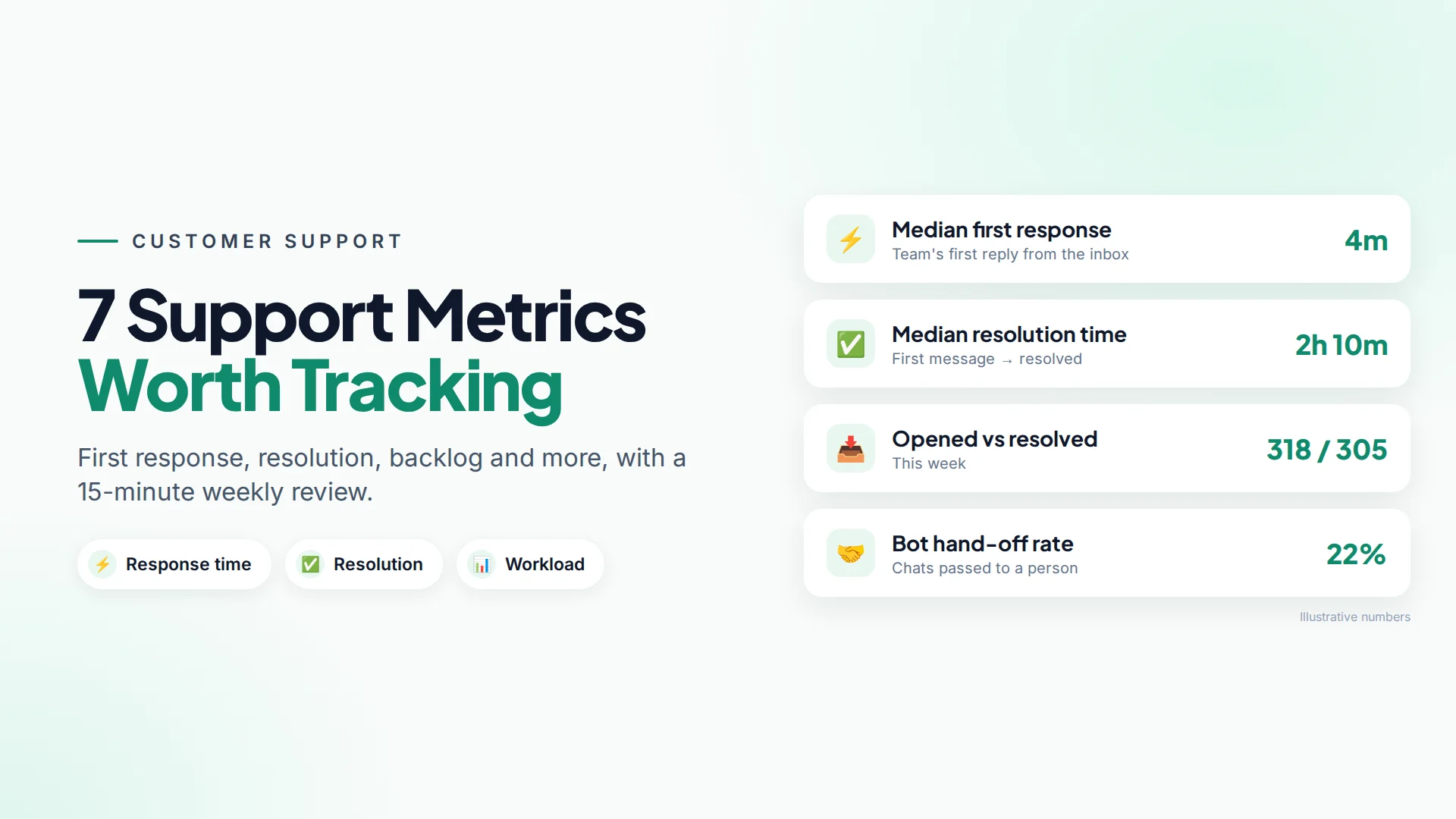
The customer service metrics that matter most for a small business are first response time, resolution time, conversation volume, open backlog, channel mix, agent workload and bot hand-off rate. Seven numbers, reviewed once a week, tell you whether customers are being answered fast enough and where the next problem will come from.
You don't need a data team for this. You need a shared inbox that records when messages arrive, when someone replies and when a chat is closed.
Why track customer service metrics at all?
Because you can't feel slow replies from the inside. On a busy day, every agent feels productive, even while customers wait two hours. Numbers show what the customer experiences.
Speed matters for sales, too. When Harvard Business Review audited how companies handled web leads, firms that replied within an hour were nearly seven times as likely to qualify the lead as those that replied even an hour later (HBR, 2011). On chat channels, customers expect faster still.
1. First response time
First response time is how long a customer waits for the first human (or useful bot) reply after they message you. It's the metric customers notice most.
- Measure it as a median, not an average. One chat that waited all weekend can make the average look terrible even when most people got a reply in five minutes.
- Split business hours from after-hours if you can, or at least know which you're looking at.
- Target: set one from your own baseline. As a reference point, Meta gives Facebook Pages a "Very responsive" badge when they reply to at least 90% of Messenger messages within 15 minutes, measured over the last 7 days (Meta Business Help).
How to improve it: instant acknowledgements, saved replies for common questions, a chatbot for after-hours, and more cover at peak times.
2. Resolution time
Resolution time is how long it takes from a customer's first message until the conversation is marked resolved. It shows whether issues actually get fixed, not just answered.
A fast first response with a slow resolution usually means agents reply quickly ("Let me check!") but then get stuck waiting for information or another team.
How to improve it: give agents the information they need in one place (order history, previous chats), write down answers to recurring problems, and make "resolve" a habit so the number stays honest.
3. Conversation volume
Conversation volume is the number of new conversations in a period, by day and hour. It tells you when to staff up.
Look for patterns: Monday mornings, lunch hours, the day after a campaign. If volume spikes after every campaign, schedule campaigns when your team is around to answer.
4. Open backlog (opened vs resolved)
Backlog is the gap between conversations opened and conversations resolved. If more open than close each day, the pile grows and response times will soon slip too.
Chart opened vs resolved per day. Two lines that track each other are healthy. A widening gap is an early warning, often a week before customers start complaining.
5. Channel mix
Channel mix is the share of conversations arriving on each channel, such as WhatsApp, Instagram and Facebook Messenger.
It tells you where to put effort. If 70% of conversations come from WhatsApp, that's where your saved replies, chatbot and best agents should be. It also matters because each channel has different rules. On Instagram and Messenger, you can only reply within 24 hours of the customer's last message, so slow replies there don't just annoy customers, they can make replying impossible. See Instagram's 24-hour window.
6. Agent workload and response time per agent
Agent workload is how many conversations each person handled, alongside their own first response time. It's for balancing work and coaching, not for ranking people.
If one person handles twice as many chats as everyone else, they're either your best agent or about to burn out, and probably both. Use assignment rules and shift cover to share the load.
7. Bot hand-off rate
Bot hand-off rate is the share of chatbot conversations that get passed to a person. It shows how much your bot really handles.
- Very high hand-off means the bot's knowledge base is missing answers. Look at what people asked just before handing off and add those answers.
- Very low hand-off can mean customers are stuck with a bot that can't help them. Check that asking for a person actually works.
Read how to hand off from a chatbot to a human for the full picture.
What about CSAT and NPS?
CSAT (a "how did we do?" rating after a chat) and NPS (how likely people are to recommend you) measure how customers feel. They're useful, but response rates for surveys are often low and skewed toward very happy or very unhappy customers. Get the seven operational metrics right first, then add a simple one-question survey.
A weekly 15-minute review
- Check median first response time vs last week.
- Look at opened vs resolved. Is the backlog growing?
- Scan volume by day and adjust next week's cover.
- Check agent workload for imbalance.
- Read five bot hand-offs and fix one knowledge gap.
- Pick one change to try, and check it next week.
Where to see these numbers in Omni
The Inbox & Agent Performance report in Omni shows, for any date range, the median first response time, the median resolution time, opened vs resolved conversations, channel mix, a response-time trend, and an agent leaderboard with conversations handled and average first response per agent (reports guide).
First response time is measured from your team's first reply sent from the inbox, so chatbot and auto-replies don't flatter the number. The AI report shows chatbot activity, tokens, estimated cost and error rate.
Because WhatsApp, Instagram and Messenger share one team inbox, the numbers cover every channel instead of three separate apps. You can export conversations and other data to CSV for your own spreadsheets, or pull statistics through the REST API.
Common mistakes with support metrics
- Using averages for time metrics. Use medians.
- Never resolving conversations. Resolution time and backlog become meaningless.
- Counting auto-replies as responses. An "We got your message" is not an answer. Track the first useful reply.
- Punishing agents with numbers. People start closing chats early to look good. Use metrics to fix the system.
- Measuring without acting. Pick one improvement per week.
Sources
Frequently asked questions
What is a good first response time for WhatsApp or chat support?
There's no universal standard, so start from your own baseline and improve it. As a reference, Meta's "Very responsive" badge for Facebook Pages requires replying to 90% of messages within 15 minutes.
What's the difference between first response time and resolution time?
First response time measures how long a customer waits for the first reply. Resolution time measures how long until the problem is solved and the conversation is closed.
Why use the median instead of the average?
A few very slow conversations, like ones that waited over a weekend, pull the average up a lot. The median shows what a typical customer experienced.
Should auto-replies count toward first response time?
No. An acknowledgement is polite, but the metric should measure the first reply that actually helps the customer. Meta also excludes instant replies and away messages from its Page responsiveness badge.
How often should a small business review support metrics?
Weekly is enough for most small teams. A 15-minute review of response time, backlog, volume and workload catches problems before customers notice them.
- #customer service metrics
- #first response time
- #resolution time
- #support kpis
- #team inbox
The Omni Team
The Omni team builds the shared inbox, AI chatbots and automation tools businesses use to talk to customers on WhatsApp, Instagram and Messenger.
Put this into practice with Omni
One inbox for WhatsApp, Instagram and Messenger, with AI chatbots, campaigns and automation. Start on the free plan.