Marketing agencies can turn WhatsApp into a recurring service by setting up and running the WhatsApp Business Platform for each client: connecting the number, writing and approving templates, sending campaigns, building chatbots and following up leads from ads. Clients pay for it because WhatsApp is where their customers already are, and most small businesses don't have the time to learn its rules.
The key to doing it well is structure. Each client's number, contacts and conversations must stay separate, and the client should always own their own WhatsApp account.
Why are clients asking agencies for WhatsApp?
Because their ads and social media already produce conversations, and those conversations increasingly happen in chat. Meta's own ad formats, such as Click-to-WhatsApp ads, send people straight into a WhatsApp chat. If nobody answers quickly, the ad budget is wasted.
Clients usually come to an agency with one of three problems:
- "We get messages from ads, but reply too slowly."
- "We want to send offers to our customers without getting blocked."
- "We want a bot to answer the same questions all day."
Each of those is a service you can sell.
6 WhatsApp services agencies can offer
| Service | What you do | Billing idea |
|---|---|---|
| Setup and onboarding | Connect the client's number to the WhatsApp Business Platform, verify the business, set up profile and templates | One-time fee |
| Template writing and approval | Write utility and marketing templates that pass Meta review | Per batch or included in retainer |
| Campaign management | Plan, segment and send broadcasts; report results | Monthly retainer |
| AI chatbot build | Create a knowledge base from the client's FAQs, prices and policies; test and launch | Setup fee + monthly care |
| Lead follow-up automation | Instant replies to ad and form leads, qualifying questions, hand-off to sales | Setup fee + monthly |
| Inbox management | Your team answers chats for the client during agreed hours | Monthly, by volume or hours |
Start with setup plus one ongoing service. Campaign management and lead follow-up are the easiest to prove value with, because results show up in replies and sales.
Who should own the client's WhatsApp account?
The client should. The WhatsApp Business Account, the phone number and the Meta Business portfolio should sit in the client's own business portfolio, with your agency given access as a partner.
Meta's Business Help Center explains how a business can give a partner access to its business assets and choose the permissions for each asset. Even with full access, a partner doesn't own those assets; the client's portfolio does.
This protects everyone:
- The client keeps their number and history if they change agencies.
- You aren't responsible for assets you don't own, and can't be accused of holding a number hostage.
- Meta sees a clean, verified business behind the messages.
Also remember who pays Meta. Message charges are billed to the payment method on the WhatsApp Business Account, so the client's card should normally be on it, with your fees invoiced separately. For how charges work, see WhatsApp API pricing in 2026.
How to price WhatsApp services
Three models work for most agencies:
- Setup + retainer. A one-time setup fee, then a monthly fee for campaigns, chatbot updates and reporting. Easiest to sell and forecast.
- Per-lead or per-booking. You earn when the client does. Works when tracking is clean, like bookings from a single link.
- Hours-based inbox management. For clients who want your team answering chats. Price by hours covered and expected volume.
Keep Meta's message charges out of your price and pass them straight to the client. They vary by country and template category, and you don't want to absorb a surprise.
A 30-day onboarding plan for a new client
Week 1: Foundations. Collect business details and verification documents. Connect the number. Set up the business profile. Agree on opt-in wording and who answers chats.
Week 2: Content. Write 5–10 templates (order updates, reminders, one or two offers). Build the knowledge base from the client's FAQs, price list and policies.
Week 3: Automation. Launch instant replies for ad and website leads. Test the chatbot with the client's own team. Set up handover to a person.
Week 4: First campaign and report. Send a small campaign to an opted-in segment. Report on reply rate, response time and results. Agree next month's plan.
How to manage many clients without mixing data
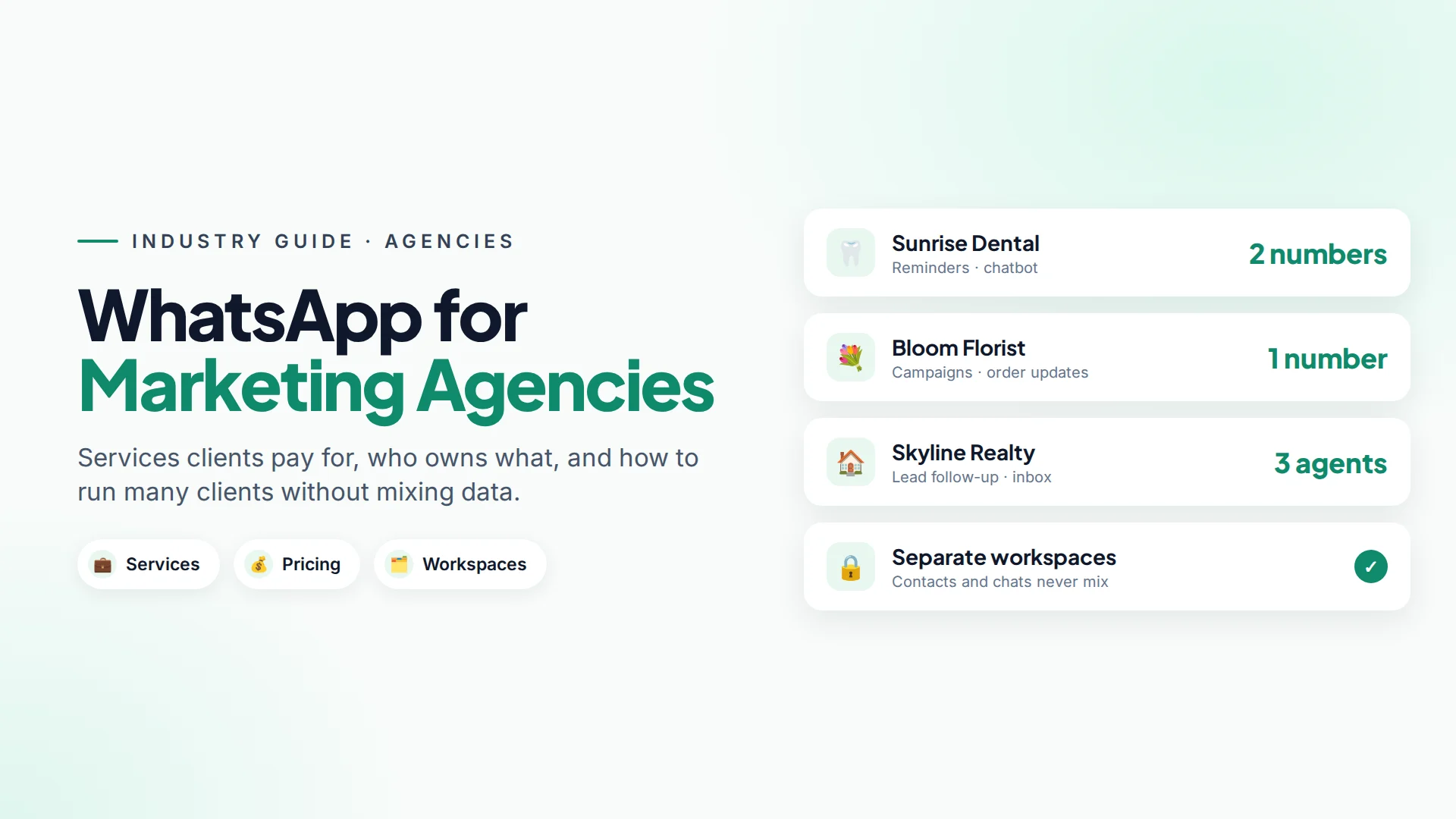
Mixing up two clients' contacts, or replying to one client's customer from another client's number, is the fastest way to lose an account. Use a tool that keeps clients separate.
In Omni, each client gets its own workspace. A workspace holds that client's connected channels, contacts, conversations, chatbots, automations, campaigns and reports, and nothing mixes between workspaces (workspaces guide).
- Switch clients from the workspace menu in the top bar. Every page switches with it.
- Invite your team. Teammates answer chats, run campaigns and share internal notes in real time.
- Use roles. Administrator can manage the team, billing, settings and integrations; Staff use the day-to-day tools without admin access.
- Connect the client's own number through Meta's embedded sign-up flow, so the WhatsApp account stays in the client's name (WhatsApp setup).
- Report per client. Each workspace has its own reports for inbox response times, campaigns, automations and AI usage, with CSV exports you can drop into a monthly report.
Instagram and Facebook Messenger can sit in the same client workspace, so one inbox covers all of a client's Meta channels.
Mistakes agencies make with WhatsApp
- Registering the number under the agency. It creates ownership disputes later.
- Promising unlimited broadcasts. Meta's messaging limits and quality rating decide how much a number can send. Explain this at the start.
- Importing a client's old list without checking consent. Read WhatsApp opt-in and agree on the rules in writing.
- No escalation plan. Decide who answers when the bot hands over, especially on weekends.
- Reporting vanity numbers. Report replies, bookings and sales, not just "messages sent".
Sources
Frequently asked questions
Can a marketing agency manage WhatsApp for several clients?
Yes. The usual setup is that each client owns their WhatsApp Business Account and gives the agency partner access, and the agency uses a tool that keeps each client's contacts and conversations separate.
Should the agency or the client pay Meta's WhatsApp charges?
Usually the client. Meta bills message charges to the payment method on the WhatsApp Business Account, which should be in the client's name. The agency invoices its own fees separately.
What should an agency charge for WhatsApp services?
Common models are a one-time setup fee plus a monthly retainer, pay-per-lead or per-booking, or hours-based inbox management. Keep Meta's per-message charges separate from your fee.
How do I keep each client's WhatsApp data separate?
Give each client its own workspace in your messaging tool. In Omni, a workspace holds one client's channels, contacts, conversations and reports, and nothing mixes between workspaces.
What's the easiest WhatsApp service to start with?
Lead follow-up for clients who already run ads. Instant replies and quick qualification show results within weeks, which makes the retainer easy to justify.
- #marketing agency
- #whatsapp marketing services
- #client management
- #whatsapp business api
- #agency services
The Omni Team
The Omni team builds the shared inbox, AI chatbots and automation tools businesses use to talk to customers on WhatsApp, Instagram and Messenger.
Put this into practice with Omni
One inbox for WhatsApp, Instagram and Messenger, with AI chatbots, campaigns and automation. Start on the free plan.