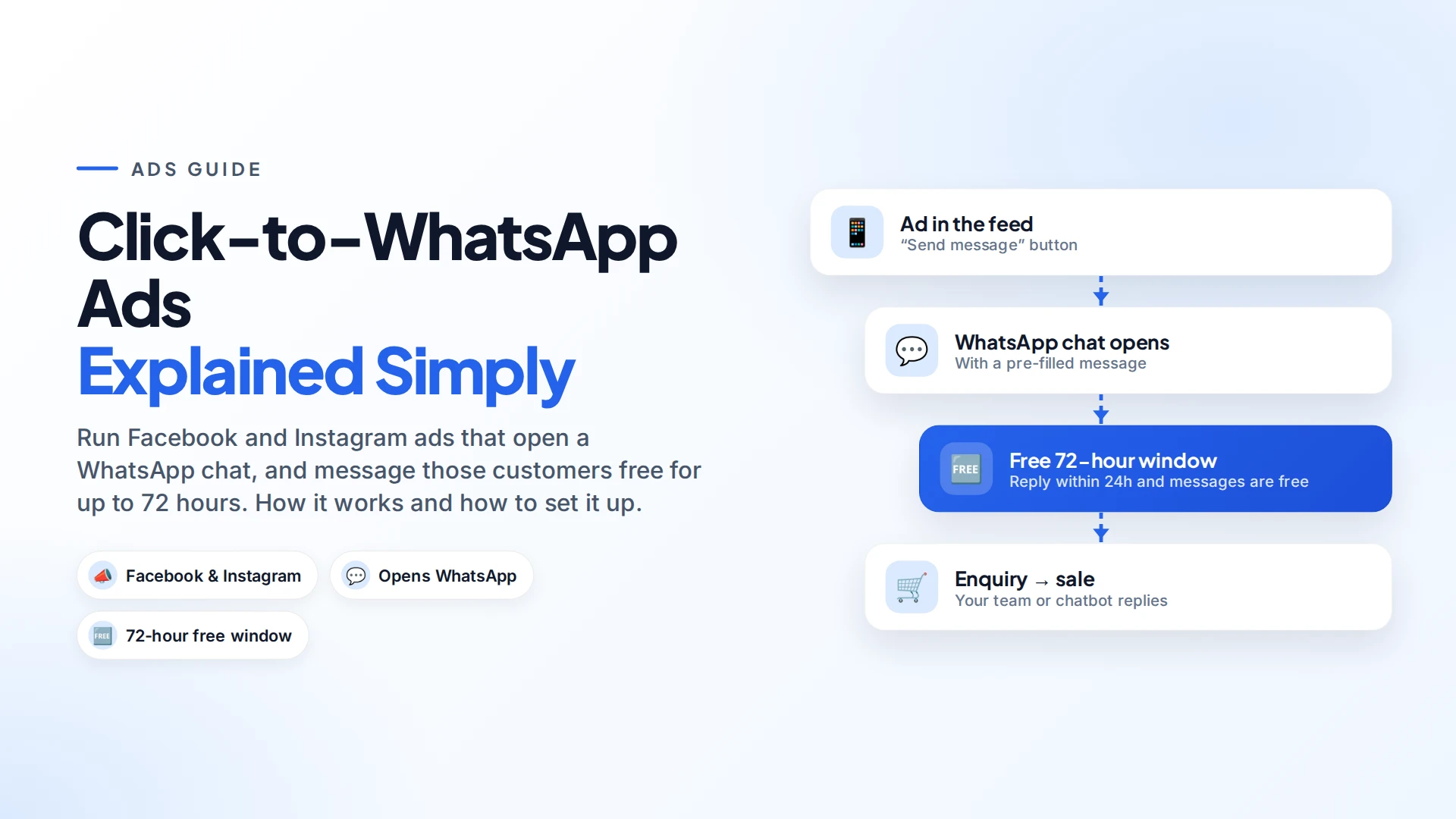
Click-to-WhatsApp ads are Facebook and Instagram ads with a "Send message" button that opens a WhatsApp chat with your business. Instead of sending people to a website form, the ad starts a conversation. And if you reply within 24 hours, every message you send that person is free for 72 hours on the WhatsApp Business Platform (Meta pricing).
You still pay Meta for the ad itself. But for businesses that sell through conversation, like real estate, education, travel, fashion and local services, they're often the most natural way to turn ad clicks into sales.
How do Click-to-WhatsApp ads work?
- Someone sees your ad in their Facebook or Instagram feed, Stories or Reels.
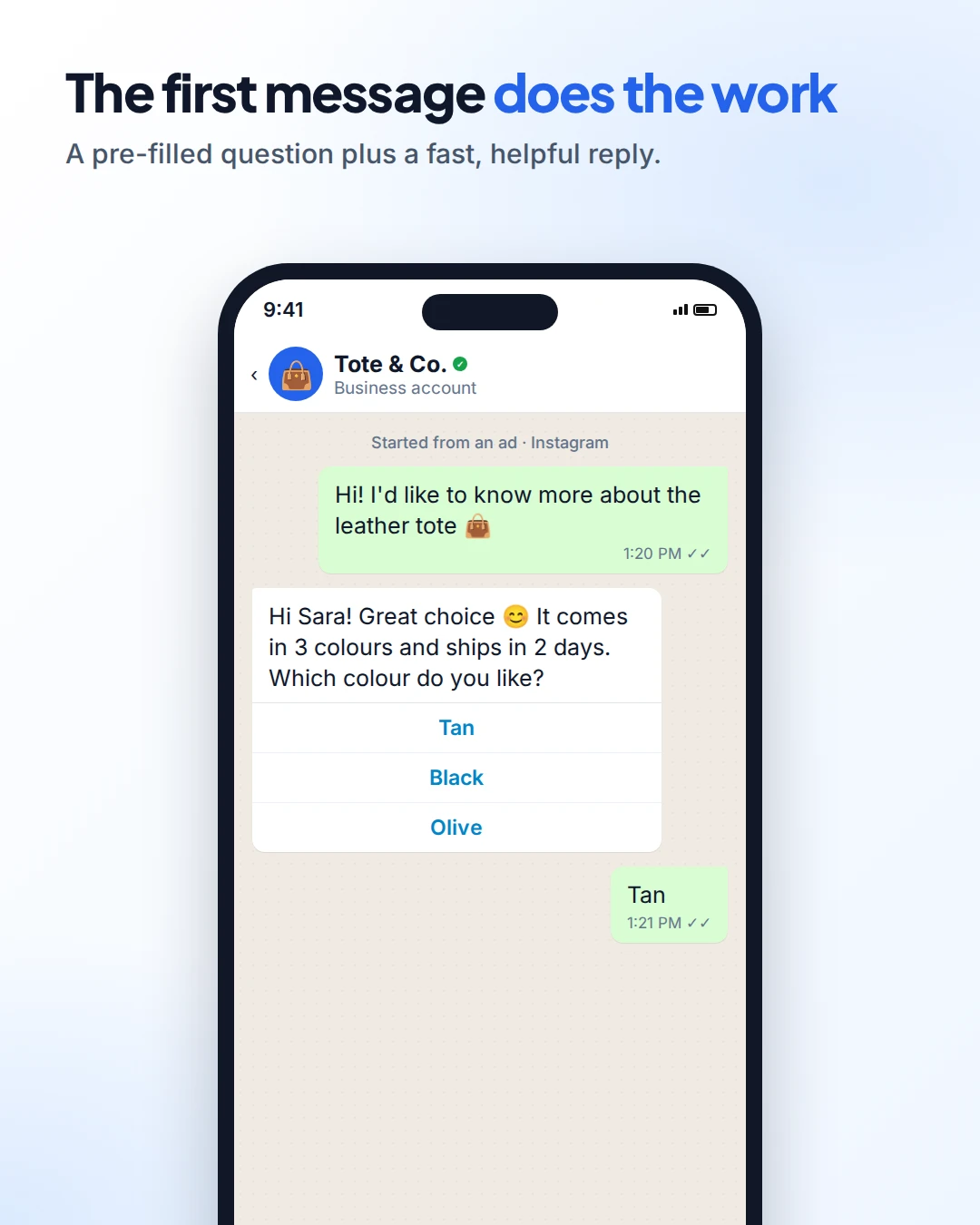
- They tap "Send message". WhatsApp opens with a chat to your business and a pre-filled message, such as "Hi! I'd like to know more about the leather tote."
- They send it. The conversation lands in your WhatsApp inbox.
- You reply, by person or automation, and the sale happens in the chat.
The free 72-hour window
This is what makes Click-to-WhatsApp ads different from other ads. When a customer messages you from one of these ads (or from a Facebook Page call-to-action button) and you reply within 24 hours, Meta opens a free entry point window that lasts 72 hours (Meta pricing).
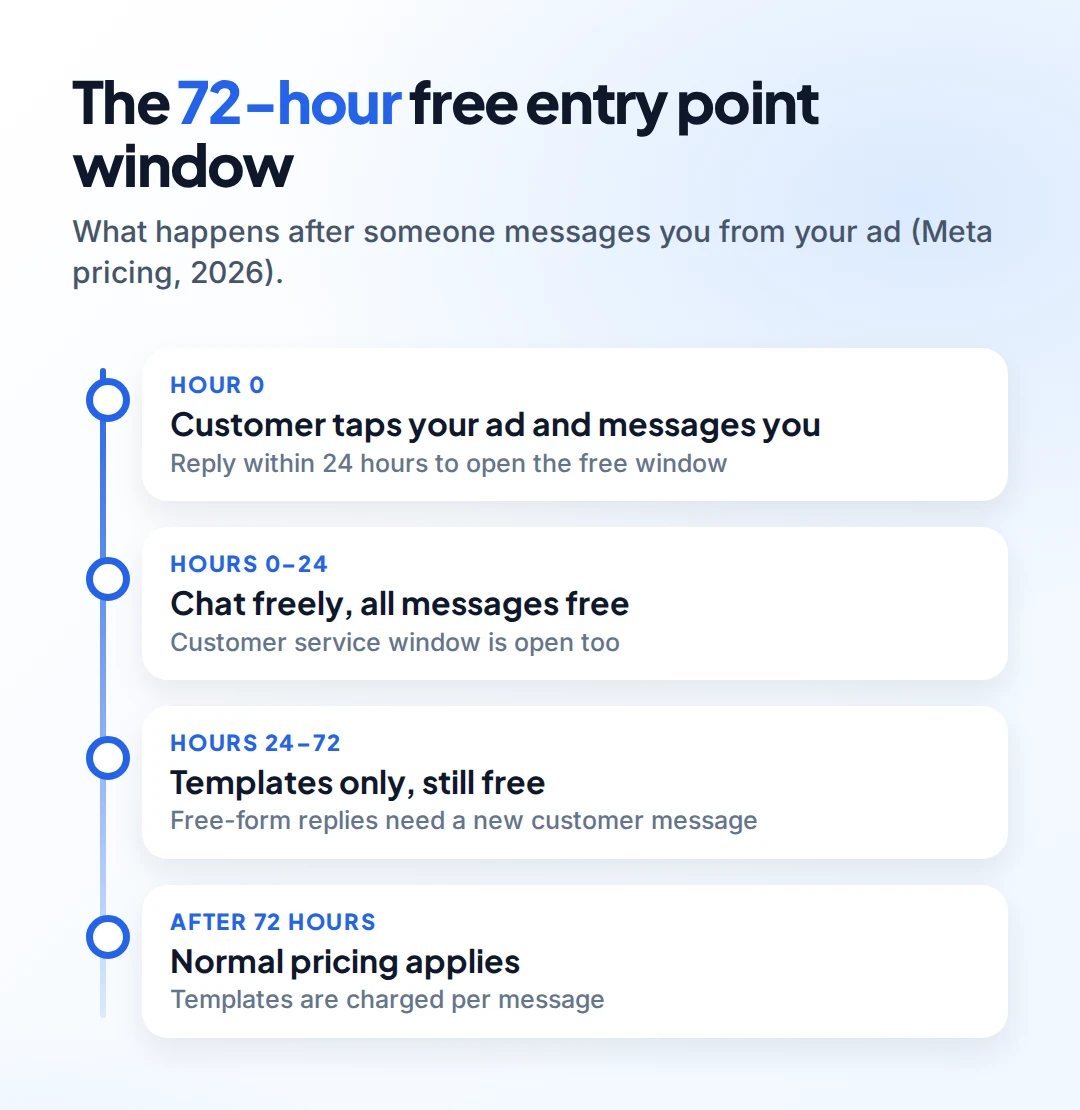
| Time since the customer's message | What you can send | Cost |
|---|---|---|
| 0–24 hours | Any message: free-form replies and templates | Free |
| 24–72 hours | Templates only (unless the customer writes again) | Free |
| After 72 hours | Templates | Normal per-message pricing |
Two things to note:
- Reply within 24 hours, or the free window doesn't open.
- The normal 24-hour customer service window runs alongside. After it closes, you can only send templates, even though they're still free until 72 hours.
Compare that with regular pricing, where Meta charges for template messages and, from 1 October 2026, for service replies too. See our WhatsApp API pricing guide.
How to set up a Click-to-WhatsApp ad
You'll need a Facebook Page and a WhatsApp Business number linked to it or to your business portfolio. Then, in Meta Ads Manager (Meta Business Help):
- Create a campaign. Engagement is a common objective for messaging ads.
- At ad set level, choose "Messaging apps" as the conversion location, then select WhatsApp and your number.
- Set your audience, budget and schedule as with any ad.
- Create the ad: image, video or carousel, plus your text.
- Write the pre-filled message (the greeting shown in WhatsApp) so it's specific: "Hi! I'm interested in the 3-night Goa package."
- Publish, then make sure someone (or something) answers fast.
Reply fast and well
A Click-to-WhatsApp ad pays for a conversation. What you do in the first minutes decides whether it turns into a sale.
- Reply in seconds. An automatic first reply that answers the likely question works best, followed by a person.
- Answer the question they asked. If the ad was about one product, lead with that product, not your whole catalogue.
- Use buttons for quick choices: colour, size, budget, date.
- Ask for opt-in before adding them to future promotions. A click on an ad isn't consent to marketing forever (Meta opt-in guidance).
- Have a person ready for questions the automation can't answer.
For the full playbook, see lead follow-up automation.
Who should use Click-to-WhatsApp ads?
They suit businesses where people ask questions before buying:
- Real estate, education and travel, where each sale is high-value and personal. See WhatsApp for real estate.
- Fashion and D2C brands answering size and delivery questions.
- Local services such as clinics, salons and gyms booking appointments.
They're less useful for low-cost impulse buys, where a direct "Shop now" link to checkout may convert better. Test both.
Common mistakes
- Nobody answering. The most expensive mistake. Every ad click that waits hours is money lost.
- A vague pre-filled message. "Hi" tells you nothing. Name the product or offer.
- Missing the 24-hour reply, which means losing the free window.
- Treating every clicker as a subscriber. Ask before sending promotions.
Setting it up with Omni
In Omni, messages from your Click-to-WhatsApp ads arrive in the same team inbox as all your WhatsApp, Instagram and Messenger chats. An automation with a Message received trigger can send an instant reply, ask qualifying questions with buttons, tag the lead and assign it to a teammate. See the automation builder.
Sources
Frequently asked questions
Are messages from Click-to-WhatsApp ads free?
Yes, if you reply within 24 hours. A free entry point window then opens for 72 hours, during which all your messages to that customer are free. You still pay for the ad itself.
Can I run Click-to-WhatsApp ads on Instagram?
Yes. Click-to-WhatsApp ads can run on Facebook and Instagram placements, as long as your WhatsApp Business number is linked to your Page or business portfolio.
Do I need the WhatsApp Business API for Click-to-WhatsApp ads?
No. The ads work with the WhatsApp Business app as well. The API adds automation, a team inbox and the free entry point window pricing for API messages.
What should the pre-filled message say?
Something specific to the ad, such as the product or offer name. It tells your team what the customer wants before anyone replies.
Can I send promotions to people who messaged me from an ad?
Only after they opt in to marketing messages. Answer their question first, then ask if they'd like updates.
- #click to whatsapp ads
- #facebook ads
- #instagram ads
- #whatsapp marketing
- #lead generation
The Omni Team
The Omni team builds the shared inbox, AI chatbots and automation tools businesses use to talk to customers on WhatsApp, Instagram and Messenger.
Put this into practice with Omni
One inbox for WhatsApp, Instagram and Messenger, with AI chatbots, campaigns and automation. Start on the free plan.