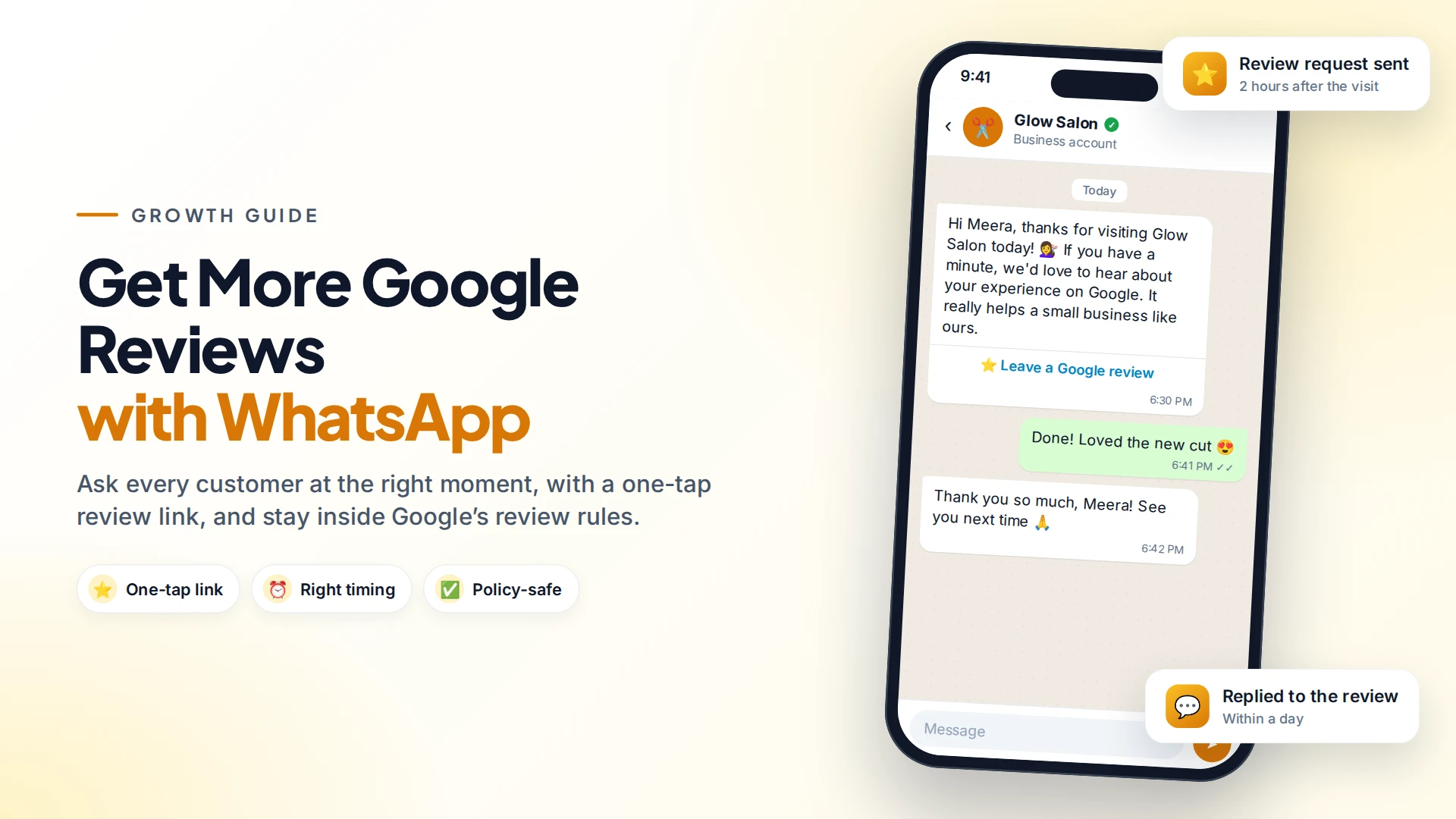
The simplest way to get more Google reviews is to ask every customer, at the right moment, with a link that opens your review form in one tap. WhatsApp is ideal for this because customers read it, and a review link in a friendly message takes seconds to act on.
But there are rules. Google doesn't allow incentives for reviews, and it doesn't allow asking only your happy customers. Here's how to do it properly.
Why Google reviews matter
Reviews are one of the first things people check before visiting a clinic, restaurant, salon or shop. Google says businesses that ask for reviews should reply to them as well, to show customers their feedback matters (Google Business Profile Help). A steady flow of recent, honest reviews also shows that your business is active.
Most happy customers simply don't think to leave a review. A polite reminder is often all it takes.
Step 1: get your Google review link
- Open your Google Business Profile (search for your business name on Google while signed in, or use Google Maps).
- Select Read reviews, then Get more reviews.
- Copy the link. Google can also create a QR code for it from a computer browser (Google Business Profile Help).
This link opens the review form directly, so customers don't have to search for you.
Step 2: ask at the right moment
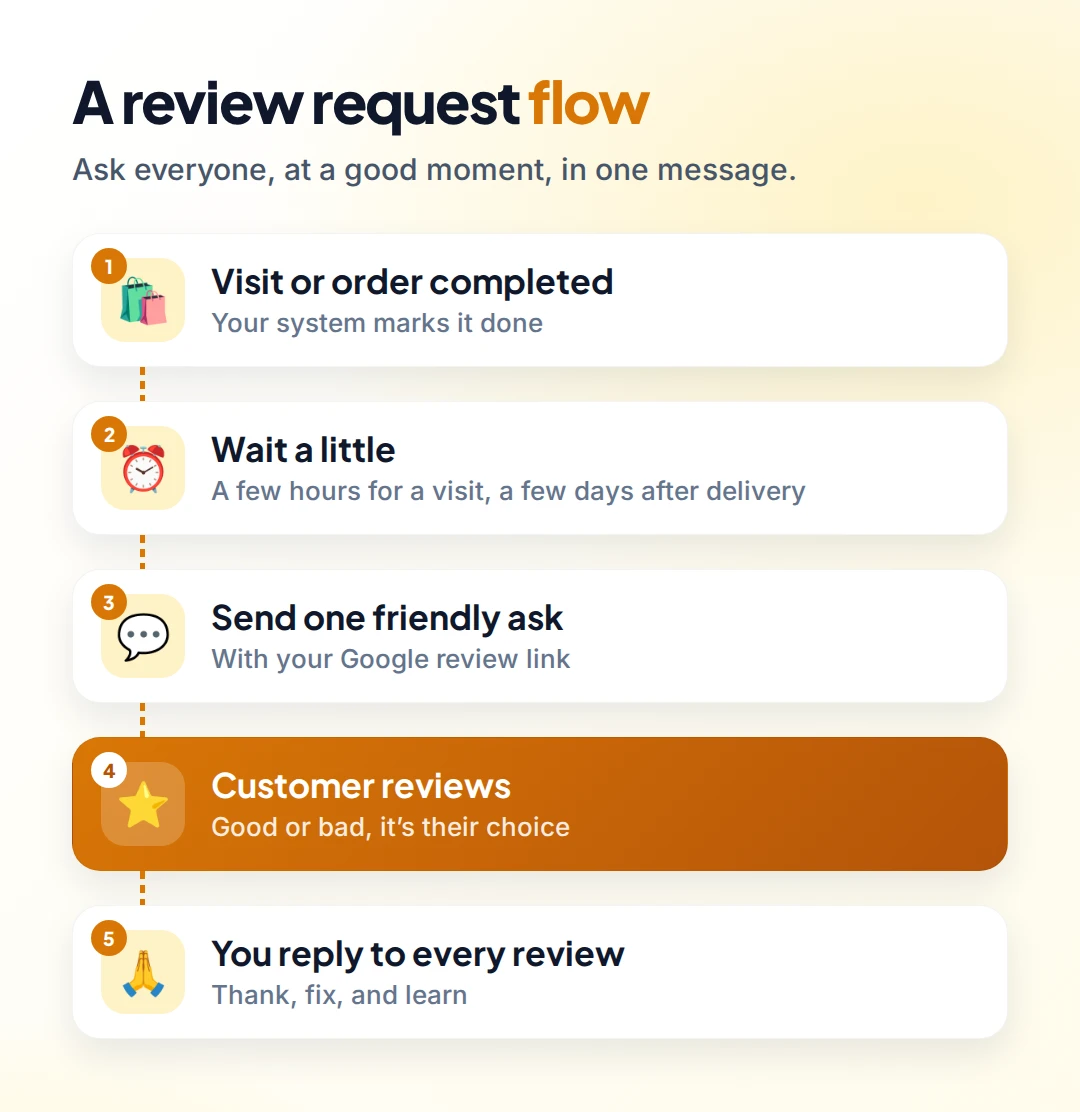
Timing matters more than wording:
| Business | Good moment to ask |
|---|---|
| Salon, spa, clinic | A few hours after the appointment |
| Restaurant | The next day |
| Online store | A few days after delivery |
| Service business (repairs, cleaning) | When the job is marked done |
| Hotel or tour | The day after check-out or the trip |
Ask once, maybe with one gentle reminder a few days later. More than that becomes pressure.
Messages you can copy
Salon or clinic:
Hi {{name}}, thanks for visiting {{business}} today! If you have a minute, we'd love to hear about your experience on Google. It really helps a small business like ours: {{review_link}}
Online store:
Hi {{name}}, your order {{order_number}} was delivered recently. How did we do? You can share your experience on Google here: {{review_link}}
Notice what these messages don't say. They don't offer a discount, and they don't ask for five stars.
On the WhatsApp Business Platform, a message you send first must be an approved template. Review requests are usually categorized as marketing, while feedback about a specific order that stays within your chat can qualify as utility. Meta decides the final category when you submit the template (Meta template categories).
Google's rules, simplified
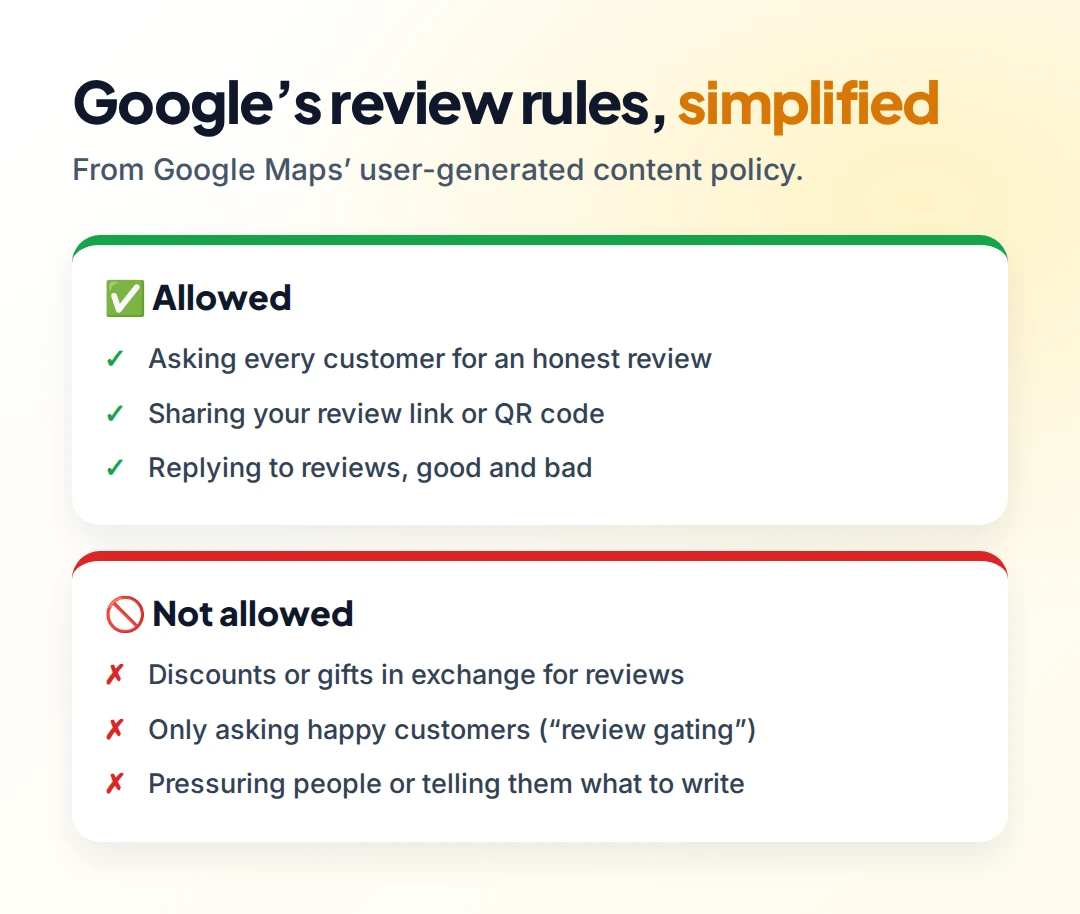
Google's Maps user-generated content policy says businesses must not (Google Maps policy):
- Offer incentives such as payment, discounts or free goods in exchange for a review, or for changing or removing a negative one.
- Discourage negative reviews or selectively ask for positive ones. This is known as review gating, for example sending unhappy customers to a private form and only happy ones to Google.
- Pressure customers to leave reviews on the premises, or ask them to include specific content.
What is allowed: asking customers to share their genuine experience, without incentives and without trying to influence the rating. Breaking these rules can get reviews removed and your Business Profile restricted.
What about a private feedback question first? Asking "How was your visit?" is fine, and it's useful. What you shouldn't do is use the answer to decide who gets the Google link. Send the review link to everyone.
Reply to every review
Replying shows future customers that you listen:
- Positive review: thank them by name and mention something specific.
- Negative review: apologise, don't argue, and offer to fix it privately ("Please message us on WhatsApp at…").
A calm, helpful reply to a bad review often impresses readers more than a page of five-star ratings.
Automating review requests with Omni
In Omni, a review request can run on autopilot:
- Trigger: Order fulfilled from your connected WooCommerce store (e-commerce docs), or a Webhook received from your booking or billing system when a visit is completed.
- Wait a few hours or days.
- Send your approved review-request template with the Google review link.
Build it in the automation builder. Replies come into your team inbox, so if someone answers with a problem instead of a review, a person can help straight away.
For more ideas, see 10 WhatsApp tasks you can automate and WhatsApp for restaurants.
Sources
Frequently asked questions
Is it allowed to ask customers for Google reviews on WhatsApp?
Yes. Google allows businesses to ask customers to share their genuine experience, as long as you don't offer incentives, don't ask only happy customers and don't pressure them.
Can I give a discount for a Google review?
No. Google's policy prohibits offering payment, discounts or free goods or services in exchange for reviews.
What is review gating?
Review gating is asking customers how they feel first and only sending the Google review link to those who are happy. Google prohibits it. Send the link to everyone.
How do I get my Google review link?
In your Google Business Profile, select Read reviews, then Get more reviews, and copy the link. You can also create a QR code from a computer browser.
When is the best time to ask for a review?
Shortly after the customer has experienced your service: a few hours after an appointment, the day after a meal, or a few days after delivery.
- #google reviews
- #google business profile
- #review requests
- #whatsapp marketing
- #local seo
The Omni Team
The Omni team builds the shared inbox, AI chatbots and automation tools businesses use to talk to customers on WhatsApp, Instagram and Messenger.
Put this into practice with Omni
One inbox for WhatsApp, Instagram and Messenger, with AI chatbots, campaigns and automation. Start on the free plan.