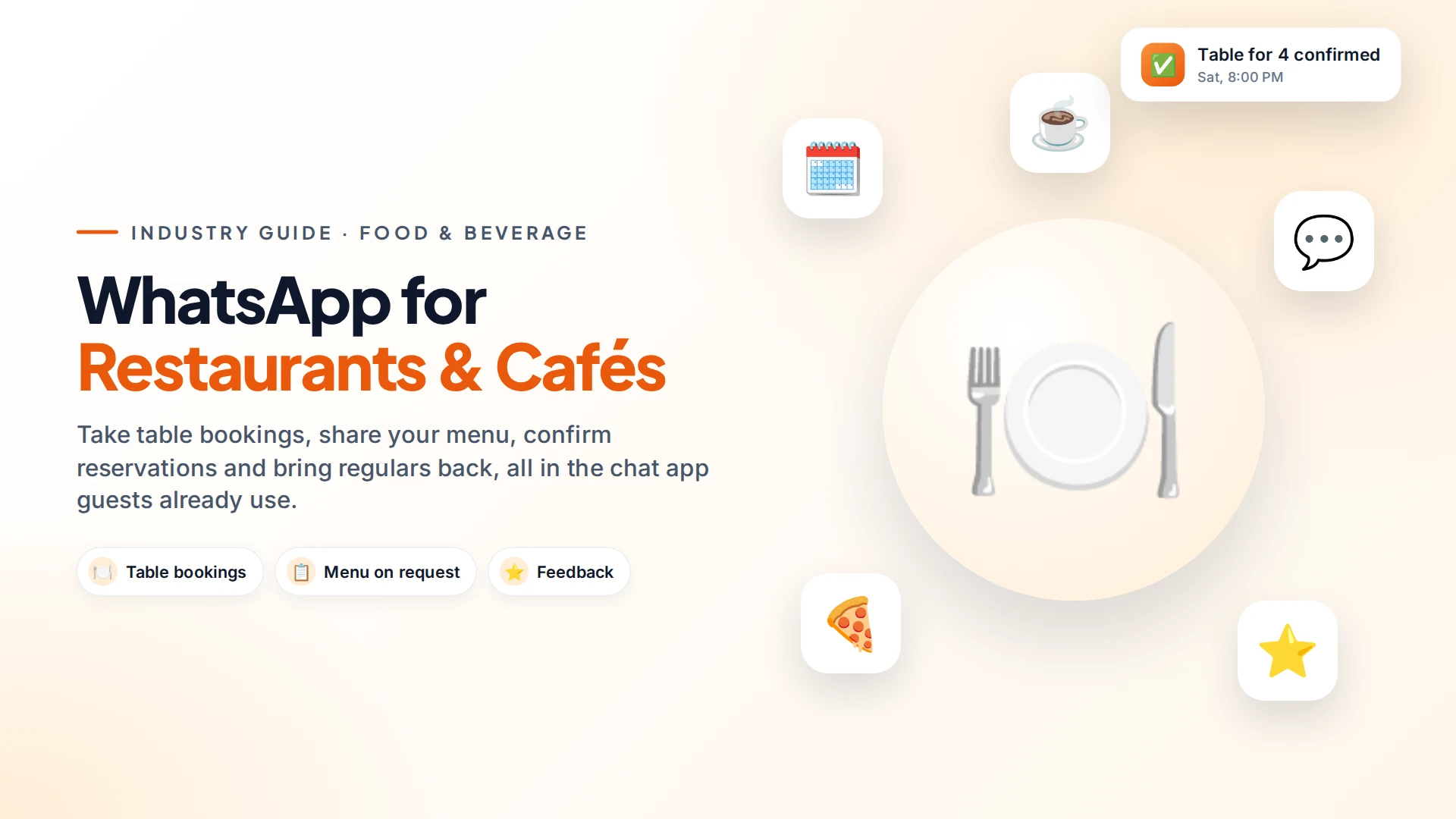
Restaurants use WhatsApp to take table bookings, send the menu on request, remind guests about their reservation, ask for feedback and invite regulars back. It replaces a ringing phone during the dinner rush with a chat your team can answer when they have a free minute, or that an automation answers for them.
Most guests would rather send a quick message than call, especially to ask "Are you open Monday?" or "Do you have vegan options?". WhatsApp lets them do that.
What restaurants can do on WhatsApp
| Use case | What happens | Automate it? |
|---|---|---|
| Table bookings | Guest picks a day, time and party size with buttons | Yes, with a person for special requests |
| Menu on request | Send the menu as a PDF or image | Yes |
| Reservation reminders | A reminder on the morning of the booking | Yes (utility template) |
| Opening hours & location | Answer instantly, share a map pin | Yes |
| Feedback | One short question the day after | Yes |
| Offers & events | New menu, festival specials, live music nights | Campaign to opted-in guests |
| Large or event bookings | Birthdays, office parties, set menus | Hand to a person |
A table booking, start to finish
A booking flow needs only three or four taps from the guest.
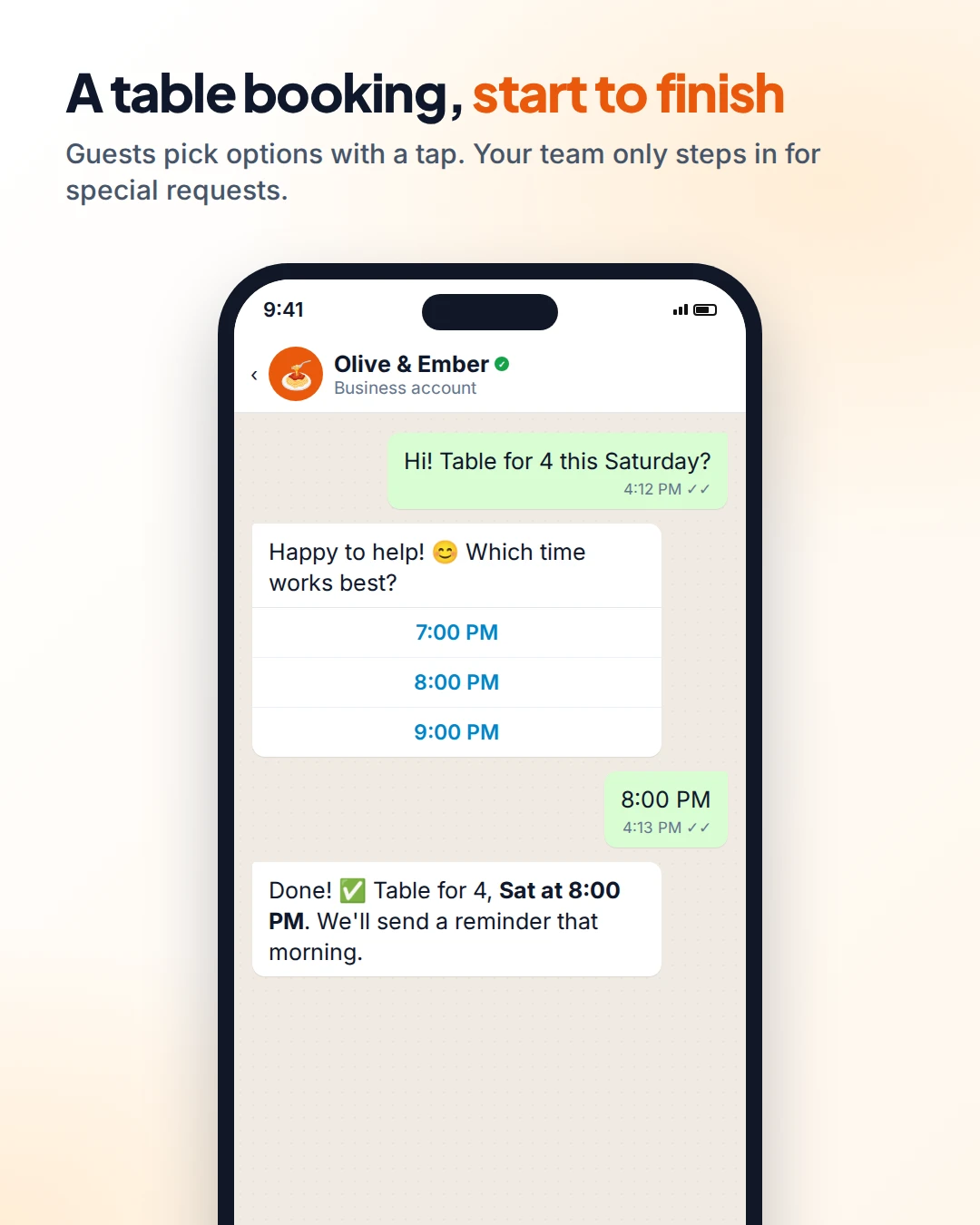
- Guest asks for a table.
- Your automation offers times as buttons, or asks for the date and party size.
- Guest picks a slot. The booking is confirmed in the chat.
- A reminder goes out that morning, with confirm or cancel options.
- Special requests (a birthday cake, a high chair, a quiet corner) go to your team.
If you use a booking system, connect it instead of taking bookings by hand. Many booking tools can send a webhook (an automatic message from one app to another) when a booking is made. That can trigger your WhatsApp confirmation and reminder.
The guest journey: four touchpoints that bring people back
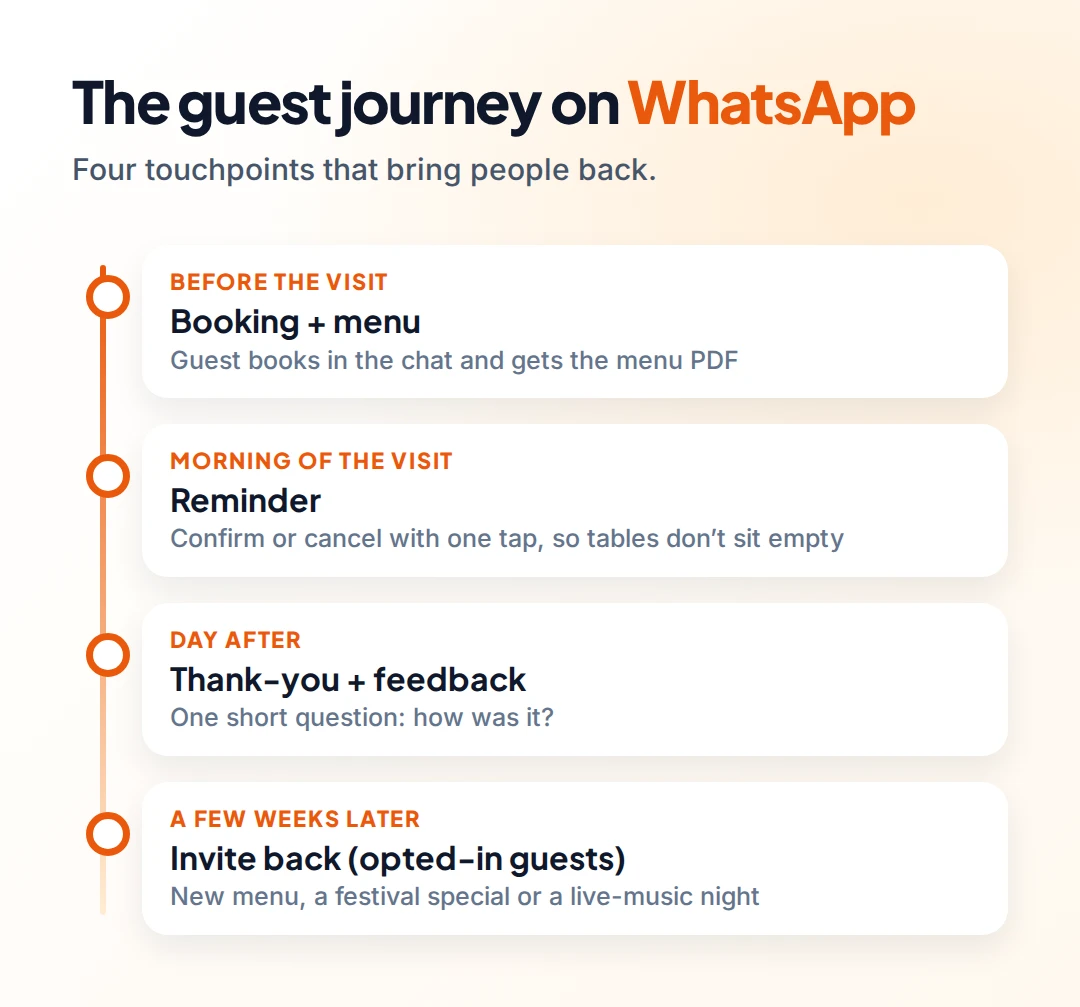
Before the visit: the booking and the menu.
Morning of the visit: a reminder with one-tap confirm or cancel. Empty tables from no-shows hurt on a busy night. A Cochrane review found text reminders raised attendance at healthcare appointments from about 68% to 79% (Cochrane, 2013). Restaurants aren't clinics, but the habit of forgetting works the same way.
The day after: thank them and ask one question, such as "How was your evening?". Keep it to one tap or one line.
A few weeks later: invite them back with something genuinely new, such as a seasonal menu or an event. Only send this to guests who agreed to get offers.
Messages you can copy
Booking confirmation (utility template):
Hi {{name}}, your table for {{guests}} at {{restaurant}} is confirmed for {{day}} at {{time}}. Reply here if your plans change.
Reminder (utility template):
See you tonight, {{name}}! Your table for {{guests}} is booked at {{time}}. Buttons: Confirm · Cancel
Feedback (template):
Thanks for dining with us on {{date}}, {{name}}! How was your evening? Reply with a quick note, we read every one.
Meta treats feedback about a specific visit or order as a utility template, but a generic survey is categorized as marketing (Meta template categories). Mentioning the visit date keeps it specific.
If feedback is good, you can also invite guests to leave a Google review. Ask everyone, not just happy guests. Our guide to getting more Google reviews with WhatsApp explains Google's rules.
Getting guests to message you
- "Chat with us on WhatsApp" on your website and Google Business Profile. See how to add a WhatsApp button to your website.
- QR codes on tables, menus and receipts, linking to your WhatsApp number with a pre-filled "Hi, I'd like to book a table".
- Instagram bio link. Many restaurant enquiries start on Instagram.
- Click-to-WhatsApp ads for launches and events. Replies to people who come from these ads are free for 72 hours (Meta pricing).
Opt-in and good manners
Answering a guest's question is always fine. Sending them offers later needs their permission. Add a simple line to your booking flow: "Want to hear about new menus and events? Yes / No." Meta requires opt-in that names your business (Meta opt-in guidance).
Keep offers rare and worth opening: one or two a month is plenty for most restaurants.
Setting it up with Omni
In Omni, you can set a welcome message, an after-hours reply and keyword answers (for "menu", "timings", "location") in WhatsApp auto-replies. The booking flow with buttons and a question that waits for the guest's reply is built in the no-code automation builder. Offers go out as campaigns to the tag or segment you choose, skipping anyone who hasn't opted in.
Your staff answer from one shared inbox, which also brings in Instagram DMs and Facebook Messenger. There's no need to pass the restaurant phone around.
Sources
Frequently asked questions
Can guests book a table on WhatsApp?
Yes. You can set up a flow where guests pick a day, time and party size with buttons, and get a confirmation in the chat. Special requests can go to a staff member.
How do I send my menu on WhatsApp?
Upload it as a PDF or image and send it as an automatic reply when someone types "menu" or taps a Menu button.
Can I send offers to all my customers on WhatsApp?
Only to customers who agreed to receive them. Answering questions is fine, but promotions need opt-in, and they must use approved templates.
Is WhatsApp better than phone bookings for restaurants?
It's often easier for both sides. Guests can book at any time without waiting on hold, and your team can answer between orders. Many restaurants keep both.
How do I reduce no-shows?
Send a confirmation when the table is booked and a short reminder on the morning of the reservation, with an easy way to cancel so you can give the table to someone else.
- #restaurants
- #cafes
- #table bookings
- #whatsapp for business
- #customer feedback
The Omni Team
The Omni team builds the shared inbox, AI chatbots and automation tools businesses use to talk to customers on WhatsApp, Instagram and Messenger.
Put this into practice with Omni
One inbox for WhatsApp, Instagram and Messenger, with AI chatbots, campaigns and automation. Start on the free plan.