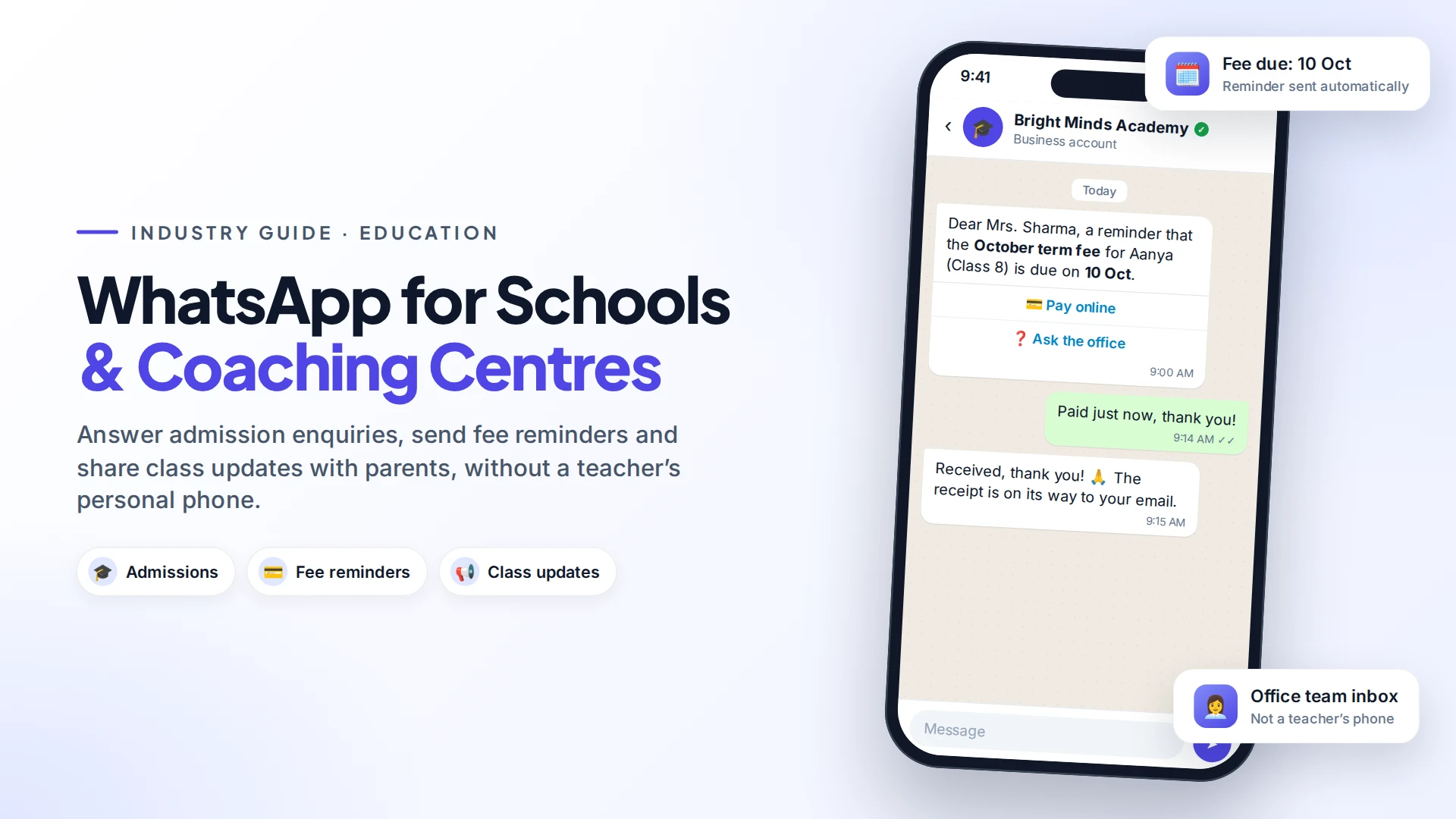
Schools, coaching centres and tutors use WhatsApp to answer admission enquiries, send fee reminders and share class updates with parents, from one official number the office controls. Many institutes still use teachers' personal phones and busy parent groups. An official number with a shared inbox works much better.
Parents already use WhatsApp every day. Done well, it means fewer calls, fewer missed notices and faster fee payments.
Why move away from parent WhatsApp groups?
Parent groups are easy to start and hard to manage:
- Privacy: every parent can see every other parent's phone number.
- Noise: one question gets 40 "thank you" replies, and important notices get buried.
- Personal phones: teachers end up answering messages at 10pm, and when a teacher leaves, the history leaves too.
- No private conversations: a parent can't ask about fees or a child's progress without switching to a private chat.
An official number on the WhatsApp Business Platform (the API) fixes these. Each parent has a private one-to-one chat with the institute, notices go out as broadcasts, and the office team answers from a shared inbox.
5 things schools and coaching centres automate
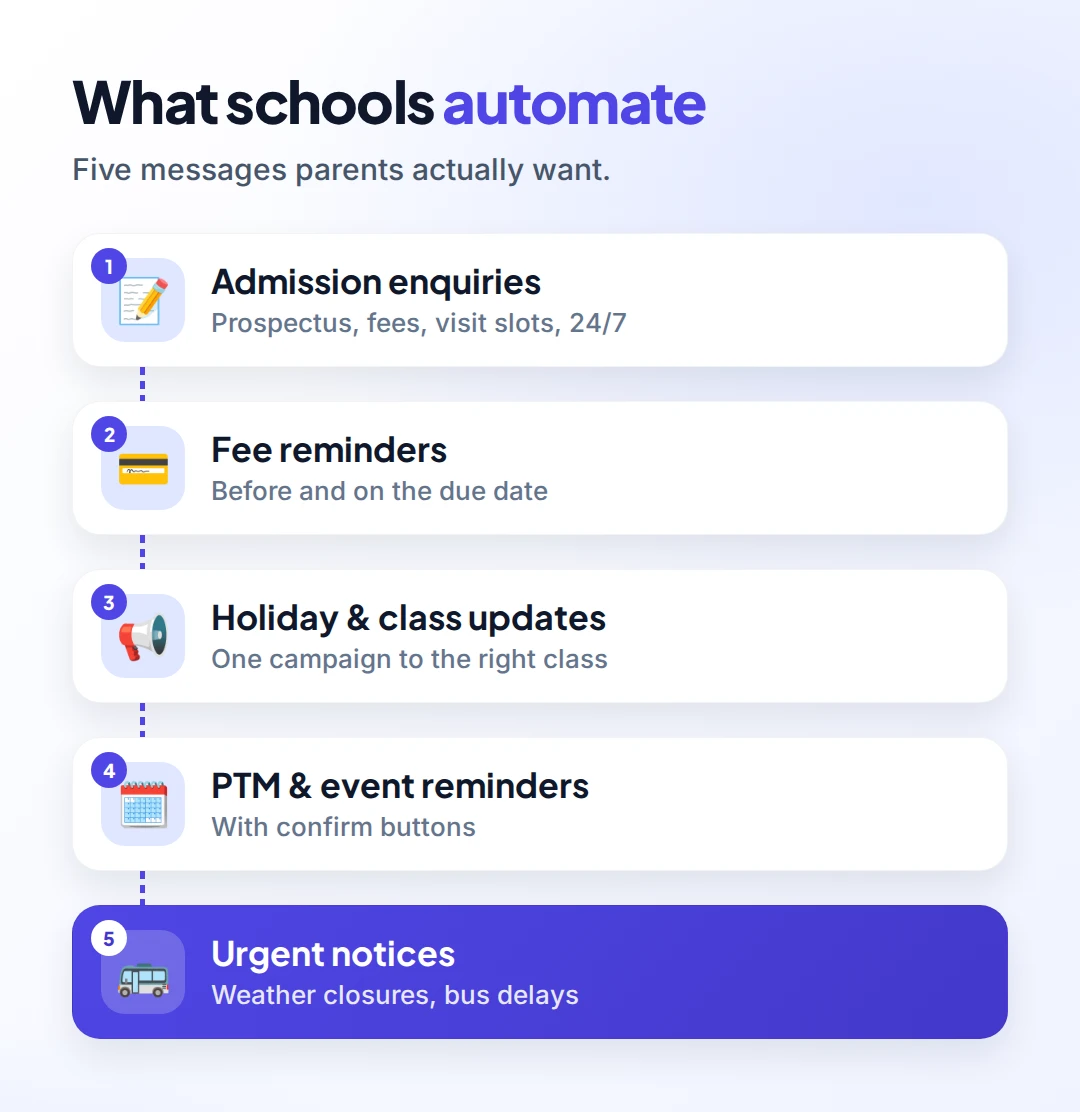
- Admission enquiries. Send the prospectus, fee structure and campus visit slots instantly, even on weekends when the office is closed.
- Fee reminders. A polite reminder before and on the due date, with a link to pay online.
- Holiday and class updates. One broadcast to the right class or batch, not the whole school.
- Parent-teacher meeting and event reminders, with confirm buttons so you know who's coming.
- Urgent notices. Weather closures, bus delays, exam timetable changes.
A polite fee reminder schedule
Fee reminders are the most valuable automation for most institutes, and also the most sensitive. Families fall behind for many reasons, so keep the tone kind and let a person handle anything beyond a reminder.
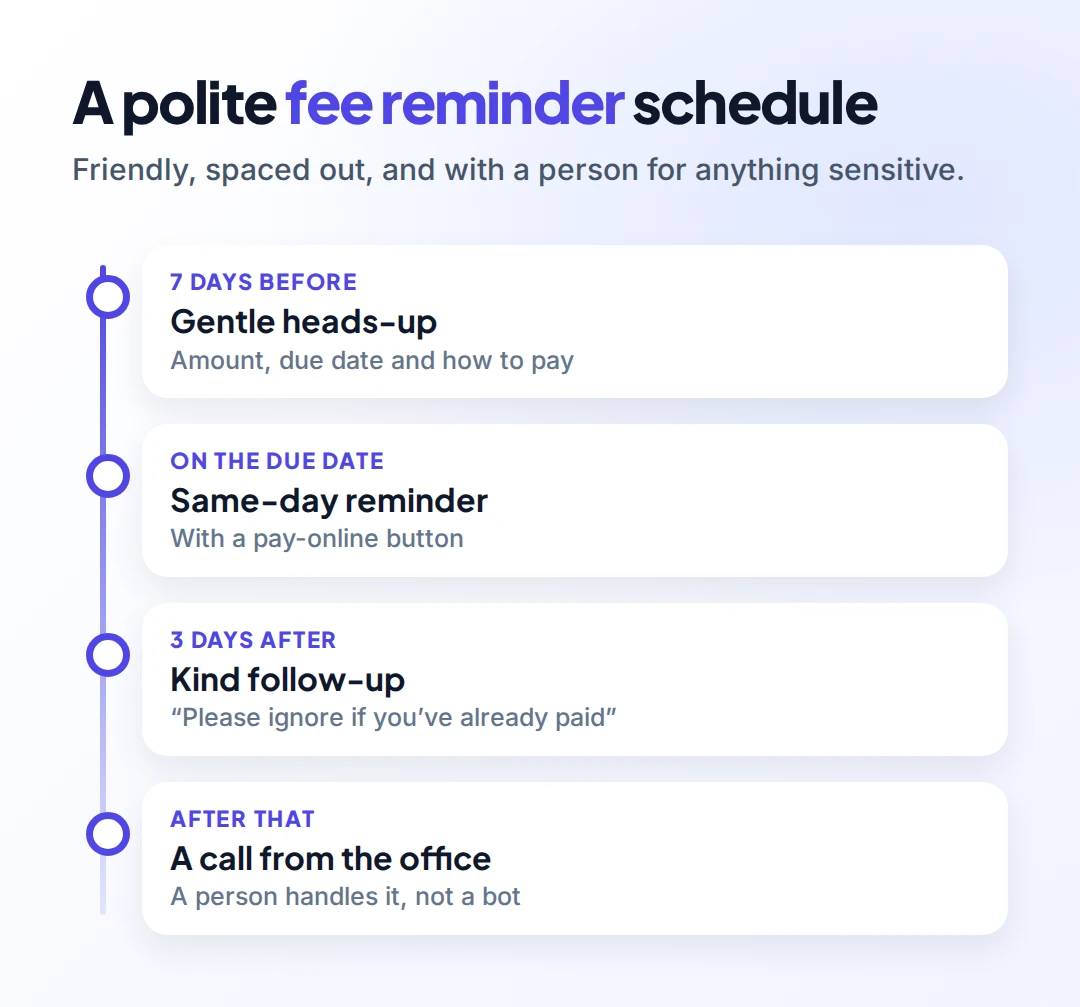
| When | Message | Tone |
|---|---|---|
| 7 days before | Amount, due date and how to pay | Friendly heads-up |
| Due date | Same-day reminder with a pay-online button | Helpful |
| 3 days after | "Please ignore if you've already paid" | Kind |
| After that | A call or message from the office | Personal |
Example (utility template):
Dear {{parent_name}}, a reminder that the {{term}} fee for {{student_name}} ({{class}}) is due on {{due_date}}. Pay online: {{link}}. Questions? Reply here and our office will help.
Payment reminders about a specific account count as utility templates on WhatsApp, which usually cost less than marketing messages (Meta template categories).
Answering admission enquiries 24/7
In admission season, parents ask the same questions again and again: fees, timings, transport and documents. An AI chatbot can answer most of them from your prospectus and FAQ page. It hands the rest to your admissions team.
A simple enquiry flow:
- Parent writes "Admission for Class 5".
- Automatic reply with the prospectus PDF and fee structure.
- Buttons: Book a campus visit · Talk to admissions · Transport details.
- Campus visit bookings get a reminder the day before.
Our guide to building a WhatsApp AI chatbot explains how to keep answers accurate.
Privacy and consent
Schools handle children's information, so be careful:
- Get consent from parents or guardians before sending anything beyond replies to their questions. The admission form is a good place for a WhatsApp opt-in checkbox. Meta requires clear opt-in that names your institute (Meta opt-in guidance).
- Don't share marks, health or disciplinary details in broadcasts. Keep those to one-to-one conversations with the right parent.
- Follow your local data protection law and your own school policy. In India that includes the Digital Personal Data Protection Act. Elsewhere, check the rules that apply to you.
What it costs
Meta charges per delivered template message. Rates depend on the category (utility for fee and event reminders, marketing for promotions like new courses) and the country (Meta pricing). Replies to parents who messaged you are handled inside a 24-hour customer service window. Note that from 1 October 2026, Meta charges for those replies too. See our WhatsApp API pricing guide for details.
Setting it up with Omni
With Omni, the office connects the institute's WhatsApp number through Meta's official API, and every staff member answers from one shared inbox. Import parents from a spreadsheet, tag them by class or batch, and send updates as campaigns to just that tag, scheduled in advance. Contacts who haven't opted in are skipped automatically.
Fee reminders and admission flows are built once in the automation builder. If your fee software can send a webhook, it can trigger reminders directly. Teachers never need to share their personal numbers again.
Sources
Frequently asked questions
Can a school use WhatsApp instead of parent groups?
Yes. With an official number on the WhatsApp Business Platform, each parent chats privately with the school, and notices go out as broadcasts to the right class, without exposing parents' numbers to each other.
Are fee reminders allowed on WhatsApp?
Yes, if parents opted in to receive messages. Fee reminders about a specific student's account are usually approved as utility templates.
Can coaching centres send course promotions on WhatsApp?
Only to people who agreed to receive them, using marketing templates. Keep promotions occasional and relevant to the student's level.
Do teachers need to use their own phones?
No. Staff answer from a shared inbox on a computer or phone, using the institute's number. Their personal numbers stay private.
Is it safe to share student marks on WhatsApp?
Share them only one-to-one with the right parent, never in broadcasts or groups, and follow your data protection law and school policy.
- #schools
- #coaching centres
- #fee reminders
- #parent communication
- #whatsapp for business
The Omni Team
The Omni team builds the shared inbox, AI chatbots and automation tools businesses use to talk to customers on WhatsApp, Instagram and Messenger.
Put this into practice with Omni
One inbox for WhatsApp, Instagram and Messenger, with AI chatbots, campaigns and automation. Start on the free plan.