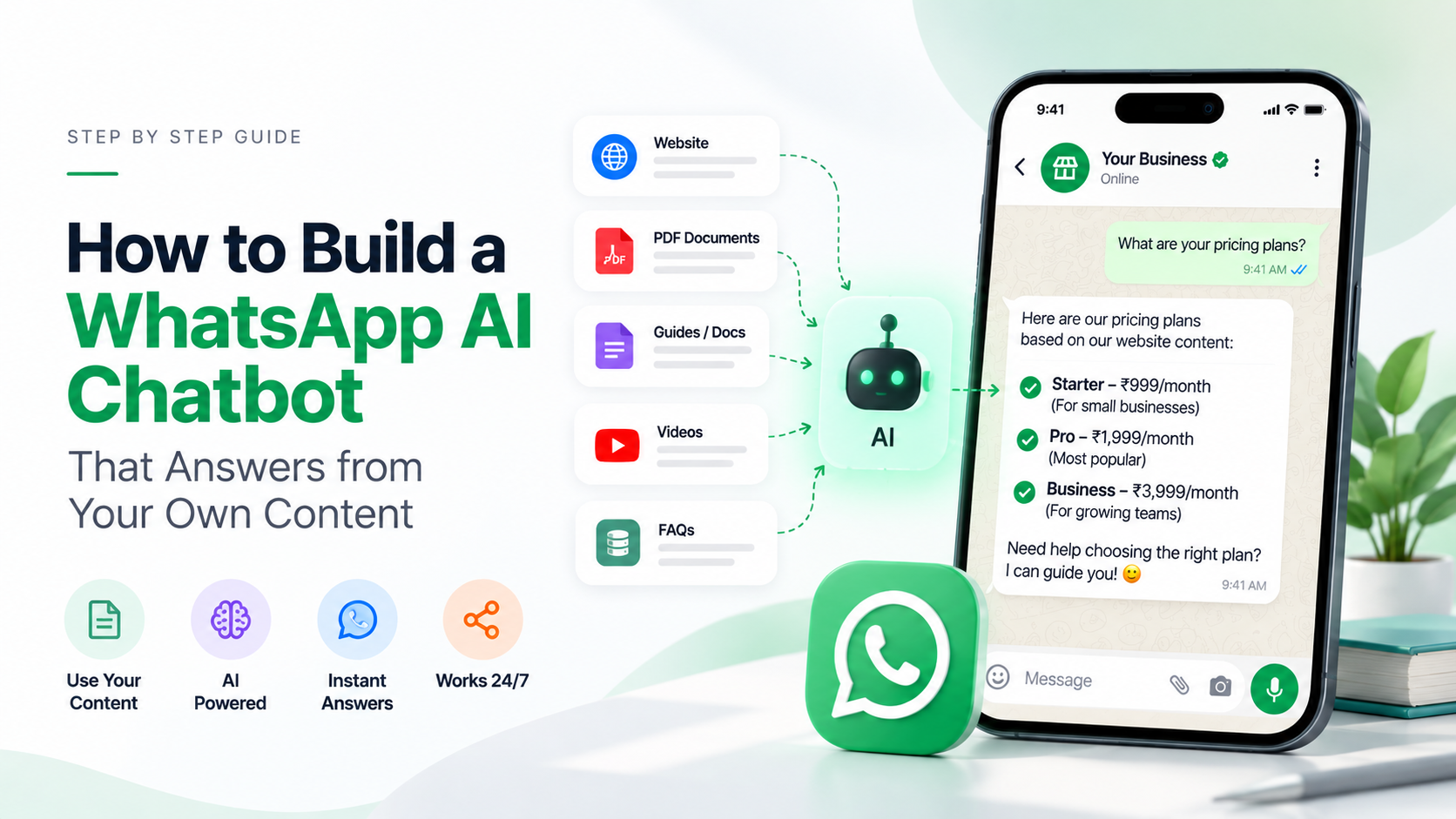
A WhatsApp AI chatbot (a WhatsApp chatbot for business) is an assistant connected to your business number that answers customer questions automatically, using your own content: your prices, opening hours, policies and product details. A good one handles the routine questions any time of day and passes the conversation to a person when it can't help.
It is allowed on WhatsApp as long as the bot supports your business, such as answering customer questions or managing bookings. Since 15 January 2026, Meta's terms don't allow general-purpose AI assistants (a "ChatGPT on WhatsApp" that chats about anything) on the WhatsApp Business Platform.
Is an AI chatbot allowed on WhatsApp?
Yes, for business use. Meta changed its WhatsApp Business Platform terms so that providers of AI technology can't use the platform when AI is the main thing they offer. The change applied to new users from 15 October 2025 and to everyone from 15 January 2026, as TechCrunch reported.
Meta has said that businesses using AI for customer service, like a travel company's support bot, are not affected. The current rules are in section 4.7 of Meta's Terms for WhatsApp Business Platform.
What this means in practice:
| Allowed | Not allowed |
|---|---|
| A clinic bot that answers questions and books appointments | A bot whose main purpose is open chat on any topic |
| A shop bot that answers product and order questions | Offering "AI assistant on WhatsApp" as your product |
| A school bot that explains fees and admission dates | Reselling access to a general AI model through WhatsApp |
A simple test: if you took the AI away, would there still be a business with customers asking about its own products or services? If yes, you're on the allowed side.
How does an AI chatbot give correct answers?
It looks up your content before it answers. This method is called retrieval-augmented generation (RAG), and it works like this:
- You give the bot a knowledge base: documents, web pages, FAQs.
- A customer asks, "Do you deliver to Pune on Sundays?"
- The bot finds the most relevant parts of your knowledge base, for example your delivery policy.
- The AI writes a short reply using those parts, in the customer's language.
Without a knowledge base, an AI model answers from general internet knowledge, which is where made-up answers come from. With one, it answers from your facts.
What do you need before you start?
- A WhatsApp number on the WhatsApp Business Platform (API). The free WhatsApp Business app doesn't let you connect your own chatbot or AI model. See WhatsApp Business app vs API.
- Your content: FAQs, price list, policies, service descriptions, opening hours.
- Clear rules for what the bot should and shouldn't do.
- A plan for handover: who picks up the chat when the bot can't help, and during which hours.
How to create a WhatsApp AI chatbot, step by step (no coding)
This is how it works in Omni, without writing any code. The steps are similar on most platforms.
- Connect your WhatsApp number. Follow Connect WhatsApp Business.
- Create a knowledge base. Go to AI → Knowledge bases and add your content as files, web page links, your sitemap, pasted text or question-and-answer pairs.
- Create the chatbot. Go to AI → Chatbots, write its instructions, choose the AI model (OpenAI, Anthropic Claude or Google Gemini) and attach the knowledge base.
- Test it in the playground. Ask the questions your customers really ask, including awkward ones, and adjust the instructions or content until the answers are right.
- Assign it to your number. In Inbox → Channel setup, assign the chatbot to your WhatsApp number. It then replies to new messages and hands the chat to your team when needed.
The full guide is in AI chatbots and knowledge bases. The same chatbot can also answer on Instagram and Facebook Messenger.
Example instructions you can adapt
You are the WhatsApp assistant for Green Leaf Dental in Pune. Answer only questions about our clinic, treatments, prices, timings and bookings, using the knowledge base. Keep replies under 80 words and friendly. If the answer isn't in the knowledge base, say you're not sure and offer to connect the patient with our front desk. Never give medical diagnoses.
This is a made-up clinic, but the pattern works for any business: say who the bot is, what it may talk about, how long replies should be, and what to do when it doesn't know.
What should go in the knowledge base?
Start with the questions your team answers every day. A good first knowledge base has:
- Prices and plans, with the currency and what's included
- Opening hours and locations, including holidays
- Delivery, returns and refunds, or booking and cancellation rules
- Your top 20 customer questions with short, accurate answers
- Product or service descriptions in plain language
Keep documents short and specific. When something changes, update the source and re-index it, so the bot never quotes an old price.
Can you build a WhatsApp chatbot for free?
You can start for free, with limits. Omni's Free plan includes 1 WhatsApp number, 1 AI chatbot, 1 knowledge base and 50,000 AI tokens a month, which is enough to test a bot on real customer questions. As your volume grows, a paid plan raises those limits.
WhatsApp's side can be free too: replies to customers inside the 24-hour window cost nothing (see below).
How much does a WhatsApp AI chatbot cost?
There are three parts to the cost:
- WhatsApp messages. According to Meta's pricing page, non-template replies sent within the 24-hour customer service window are free. A bot that answers customers who wrote to you usually replies inside that window. Messages you start yourself use paid templates; see WhatsApp API pricing.
- AI usage. Every answer uses AI tokens. In Omni, the AI allowance comes with your plan, or you can add your own OpenAI, Anthropic or Gemini key and pay your provider directly.
- The platform that runs the bot and inbox. See Omni pricing, which includes a free plan.
Common mistakes to avoid
- Letting the bot answer anything. Besides giving wrong answers, an open-ended bot can drift towards the general-purpose use Meta doesn't allow. Keep it on your business.
- No human handover. Customers get frustrated when they can't reach a person. Make "talk to a person" always work.
- An out-of-date knowledge base. Old prices do more damage than no answer.
- Promising what the bot can't do. If it can't take payments or change bookings, don't let it say it can.
- Messaging people who didn't write first. Bots reply to customers. Starting conversations still needs approved templates and opt-in.
When is a chatbot not the right choice?
If you get only a few messages a day, or most questions need a person's judgement (complaints, custom quotes, medical advice), a chatbot adds little. A shared team inbox with saved replies may serve you better. Many businesses start with the inbox and add a bot for the top 10 questions later.
Sources
- Meta — Terms for WhatsApp Business Platform (section 4.7, AI providers)
- TechCrunch — WhatsApp changes its terms to bar general-purpose chatbots
- Meta — Pricing on the WhatsApp Business Platform
Policy and pricing checked against Meta's pages in September 2026.
Frequently asked questions
Are AI chatbots banned on WhatsApp?
No. Since 15 January 2026, Meta's terms bar general-purpose AI assistants whose main purpose is AI chat. Bots that support a business, like customer service or bookings, are still allowed.
Can I use ChatGPT on my WhatsApp Business number?
You can use OpenAI's models to power a customer service bot for your own business. You can't offer a general "ChatGPT on WhatsApp" service to the public.
Can the free WhatsApp Business app run an AI chatbot?
Not one you build yourself. The app doesn't let you connect an outside chatbot or AI model; that needs the WhatsApp Business Platform (API) through a provider.
Are chatbot replies on WhatsApp free?
Meta's pricing page says non-template replies within the 24-hour customer service window are free. You still pay for the AI usage and for any templates you send first.
How do I stop the chatbot from making things up?
Give it a knowledge base with your real content, tell it to answer only from that content, and have it hand the chat to a person when the answer isn't there.
- #whatsapp chatbot
- #whatsapp ai chatbot
- #chatbot for business
- #customer support
- #knowledge base
The Omni Team
The Omni team builds the shared inbox, AI chatbots and automation tools businesses use to talk to customers on WhatsApp, Instagram and Messenger.
Put this into practice with Omni
One inbox for WhatsApp, Instagram and Messenger, with AI chatbots, campaigns and automation. Start on the free plan.