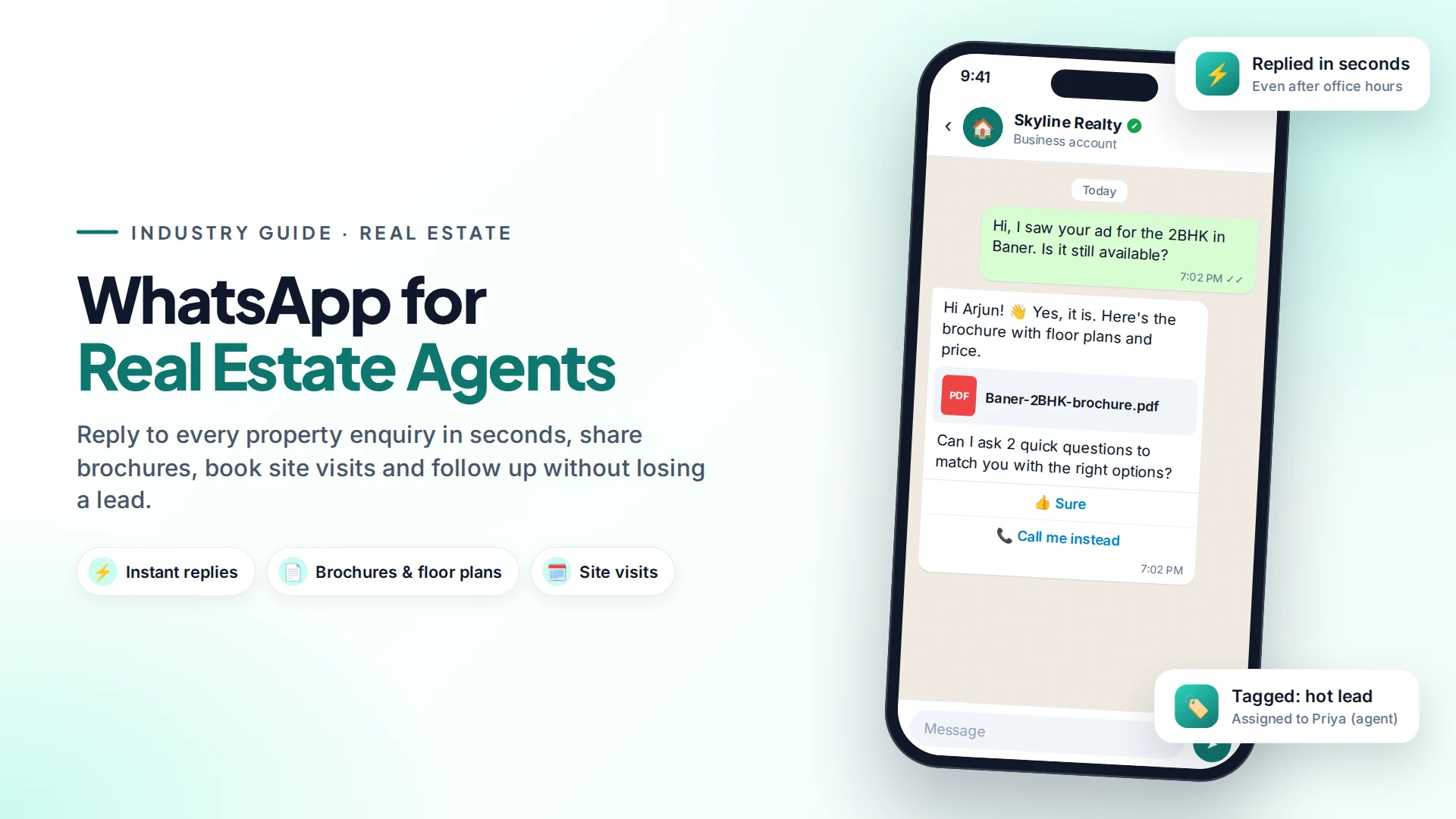
Real estate agents use WhatsApp to reply to property enquiries in seconds, send brochures and floor plans, qualify buyers with a few questions and book site visits, all in the app buyers already check all day. With the WhatsApp Business Platform (the API), the first reply can be automatic, so no enquiry waits until morning.
Speed matters more in property than almost anywhere else. A buyer who fills in a form on a portal often contacts three or four agents at once. The one who answers first, with useful details, usually gets the call.
Why WhatsApp works so well for property enquiries
WhatsApp fits how buyers actually shop for property:
- They're browsing on their phone, often in the evening. WhatsApp is already open.
- They want to see things: photos, videos, floor plans, location pins. WhatsApp handles all of these.
- They share with family. A brochure on WhatsApp gets forwarded to a spouse or parent in one tap.
- It's a lasting thread. Months later, the whole conversation is still there, with every document.
Research on web leads backs up the need for speed. A Harvard Business Review audit of 2,241 companies found that firms contacting a lead within an hour were nearly 7 times as likely to qualify it as firms that waited even one more hour (HBR, 2011). The study wasn't limited to real estate, but the lesson is simple: reply first.
The property enquiry flow, step by step
Here's a simple flow that works for most agencies, whether you sell new projects or resale homes.
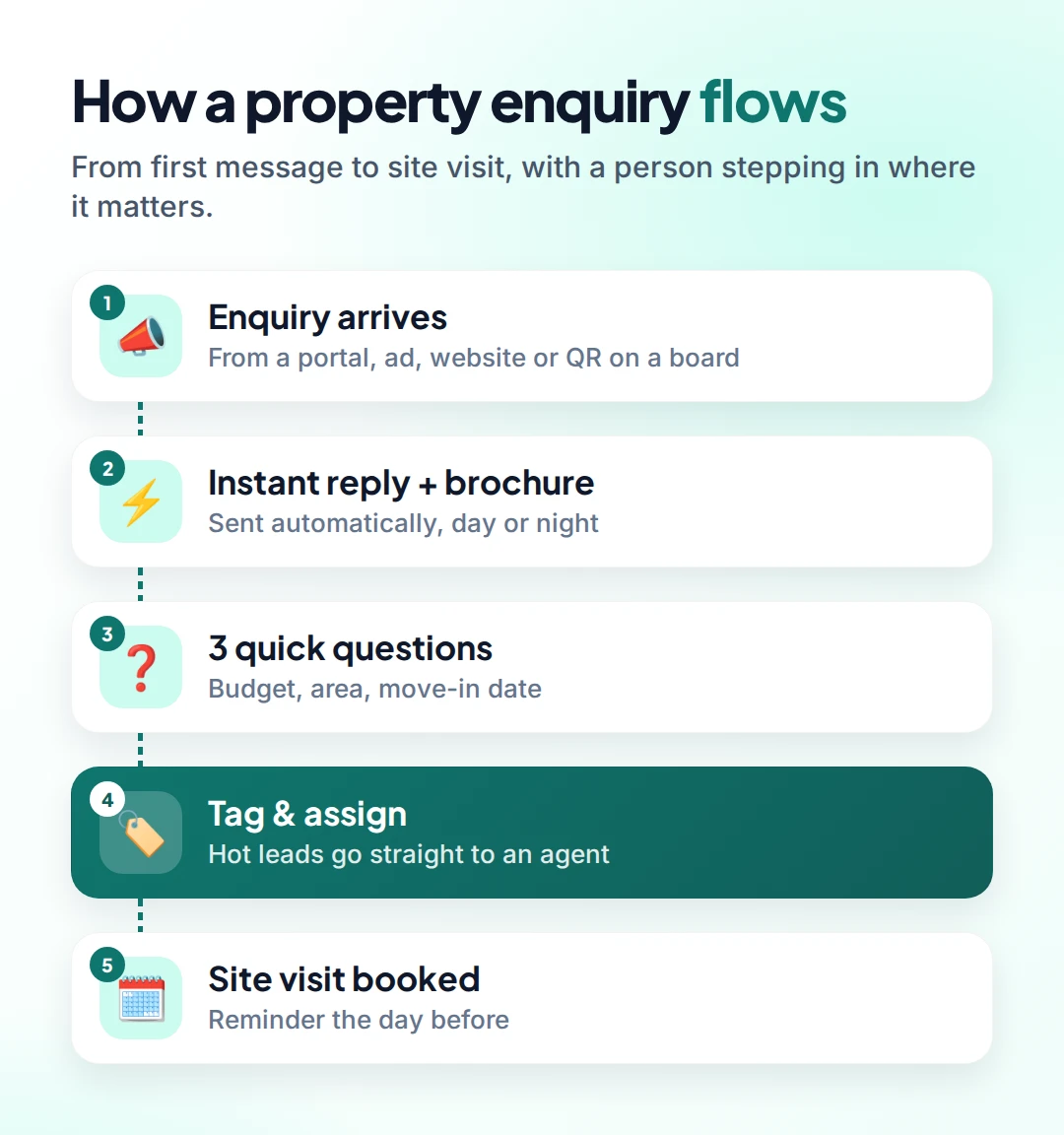
- Enquiry arrives. From a portal, a Facebook or Instagram ad, your website, or a QR code on a site board.
- Instant reply with the brochure. Sent automatically, even at 11pm. Include the price range and one clear next step.
- Three quick questions. Budget, preferred area, and when they want to move. Use reply buttons so it takes seconds.
- Tag and assign. "Moving within 3 months" plus a matching budget is a hot lead. It goes straight to an agent.
- Book the site visit and send a reminder the day before.
Everything after step 4 is personal. The automation handles the repetitive first minutes, and your agent does what agents do best.
Qualify buyers before you pick up the phone
Asking the same questions on every call wastes hours. Buttons let buyers answer in a tap, and the answers are saved on their contact record.
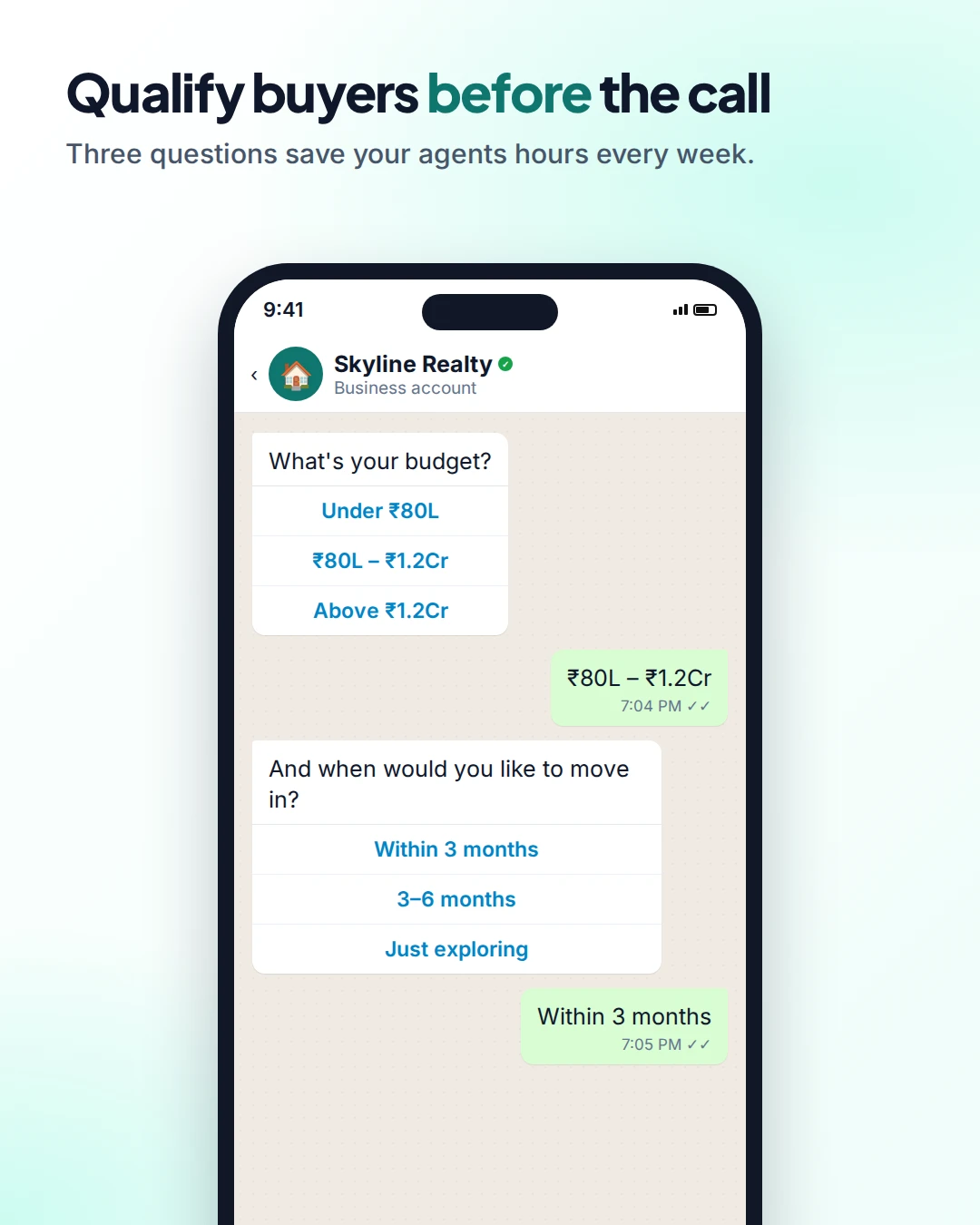
Good qualifying questions are short and have clear options:
| Question | Button options |
|---|---|
| What's your budget? | Under ₹80L · ₹80L–₹1.2Cr · Above ₹1.2Cr |
| When do you want to move? | Within 3 months · 3–6 months · Just exploring |
| Buy or rent? | Buy · Rent |
Keep it to three questions. Every extra question loses some people.
6 WhatsApp use cases for real estate agents
- Instant enquiry replies with the brochure, price range and location pin.
- Site visit booking and reminders. A reminder the day before, with the address and the agent's name, cuts no-shows. See our guide to WhatsApp appointment reminders.
- New listing alerts to buyers who asked for them, matched by area and budget.
- Price-drop and launch updates for opted-in buyers, sent as a campaign to the right segment.
- Document collection during a deal, such as ID proofs and signed forms, all in one thread.
- Tenant and owner updates for rental management: rent reminders, maintenance visits, renewal dates.
Messages you can copy
First reply (automatic):
Hi {{name}}! 👋 Thanks for your interest in {{project}}. Here's the brochure with floor plans and prices. Can I ask 2 quick questions to show you the best options?
Site visit reminder (utility template):
Hi {{name}}, a reminder of your site visit to {{project}} tomorrow at {{time}}. {{agent}} will meet you at the sales office. Location: {{map link}}
New listing alert (marketing template, opted-in buyers only):
Hi {{name}}, a new 2BHK just listed in {{area}} within your budget. Want photos and the price?
Business-initiated messages like reminders and alerts must use templates Meta approves first. Our guide on getting templates approved explains how.
Rules to follow
- Only message people who opted in. A portal enquiry is permission to answer that enquiry, not to add someone to your offers list forever. Ask before sending listing alerts. Meta's rules require clear opt-in that names your business (Meta opt-in guidance).
- Don't buy lead lists. Cold messages get blocked and reported, which lowers your number's quality rating.
- Use one business number, not agents' personal phones. When an agent leaves, the conversations and leads stay with your agency.
How much does it cost?
On the WhatsApp Business Platform, Meta charges per delivered template message, by category and country (Meta pricing). If the buyer came from a Click-to-WhatsApp ad, your messages are free for 72 hours. Read more in Click-to-WhatsApp ads explained and our WhatsApp API pricing guide.
Setting it up with Omni
In Omni, you connect your WhatsApp number through Meta's official API. Then you build the flow above in the automation builder: an instant reply, question steps that wait for the buyer's answer, tags, and assignment to an agent. Enquiries from your website form can start the same flow through a webhook.
Your agents work from one shared team inbox that also includes Instagram and Facebook Messenger. Everyone sees the full history, and a manager can see who is handling which buyer.
Sources
Frequently asked questions
Can real estate agents use the free WhatsApp Business app?
Yes, for a single agent with a small number of chats. Agencies with several agents, many enquiries or a need for automatic replies usually need the WhatsApp Business Platform (API) and a shared inbox.
Can I send property listings to people who haven't contacted me?
No. Meta requires opt-in before you message someone, and cold messages get blocked and reported. Invite people to opt in through your website, ads or site-visit forms first.
How fast should I reply to a property enquiry?
As fast as possible, ideally within minutes. An automatic first reply with the brochure buys time until an agent can call.
Can I send brochures and videos on WhatsApp?
Yes. WhatsApp supports PDFs, images, videos and location pins, which makes it well suited to sharing floor plans and site locations.
What happens when an agent leaves the agency?
If you use a shared business number and team inbox, the conversations stay with the agency. That's a big advantage over agents using personal phones.
- #real estate
- #whatsapp for business
- #lead follow-up
- #site visits
- #automation
The Omni Team
The Omni team builds the shared inbox, AI chatbots and automation tools businesses use to talk to customers on WhatsApp, Instagram and Messenger.
Put this into practice with Omni
One inbox for WhatsApp, Instagram and Messenger, with AI chatbots, campaigns and automation. Start on the free plan.