Hotels use WhatsApp to answer booking enquiries, confirm reservations, send check-in details, handle guest requests during the stay, and ask for reviews after checkout. Guests like it because they can message the front desk from anywhere without calling. Hotels like it because one shared inbox replaces scattered calls, emails and personal phones.
This guide walks through the guest journey stage by stage, with example messages and the WhatsApp rules that apply at each step.
Why do hotels use WhatsApp?
Because it's the fastest way to reach a guest who's travelling. Emails get buried, calls cost money abroad, and SMS can't carry photos or a map pin. A WhatsApp message arrives with a notification, works on hotel Wi-Fi, and lets the guest reply with a photo of the problem.
It also turns questions into bookings. A traveller comparing three hotels usually books with the one that answers first.
The WhatsApp guest journey, stage by stage
| Stage | Message | Who starts it | Template needed? |
|---|---|---|---|
| Enquiry | Rates, availability, photos | Guest | No, reply within 24 hours |
| Booking | Confirmation with dates and total | Hotel | Yes (utility) |
| Pre-arrival | Check-in time, directions, parking | Hotel | Yes (utility) |
| During stay | Requests, local tips, late checkout | Guest | Usually no |
| Checkout | Thank-you, invoice, lost property | Hotel | Depends on timing |
| After stay | Review request | Hotel | Yes |
| Next season | Returning-guest offer | Hotel | Yes (marketing, with opt-in) |
Why "template needed?" matters: on WhatsApp, a business can reply freely for 24 hours after the guest's last message. To message a guest first, or after that window, you must use a template that Meta has approved in advance. Confirmations and check-in details are usually utility templates. Offers are marketing templates, which need the guest's opt-in. See Meta's template categories for the exact rules, and our guide to getting templates approved.
1. Enquiries: reply before they book elsewhere
Guests find your number on Google, your website, Instagram or a Click-to-WhatsApp ad. They ask about rates, rooms, breakfast and parking.
- Answer fast. An instant reply with your key info buys time for a person to follow up.
- Send photos of the actual room type they asked about.
- Link to your booking engine or offer to hold the booking.
An AI chatbot trained on your room types, rates policy and FAQs can handle most of this around the clock, and hand anything unusual to reception.
2. Booking confirmation
Hi Anika, your booking at Lakeview Residency is confirmed ✅ Deluxe Room · 12–14 Oct · 2 guests · Total ₹9,800 Booking ref: LV2931. Reply here any time with questions.
Keep it factual. That keeps it a utility message, and it gives the guest one place to ask questions.
3. Pre-arrival: check-in details
Send this 1–2 days before arrival:
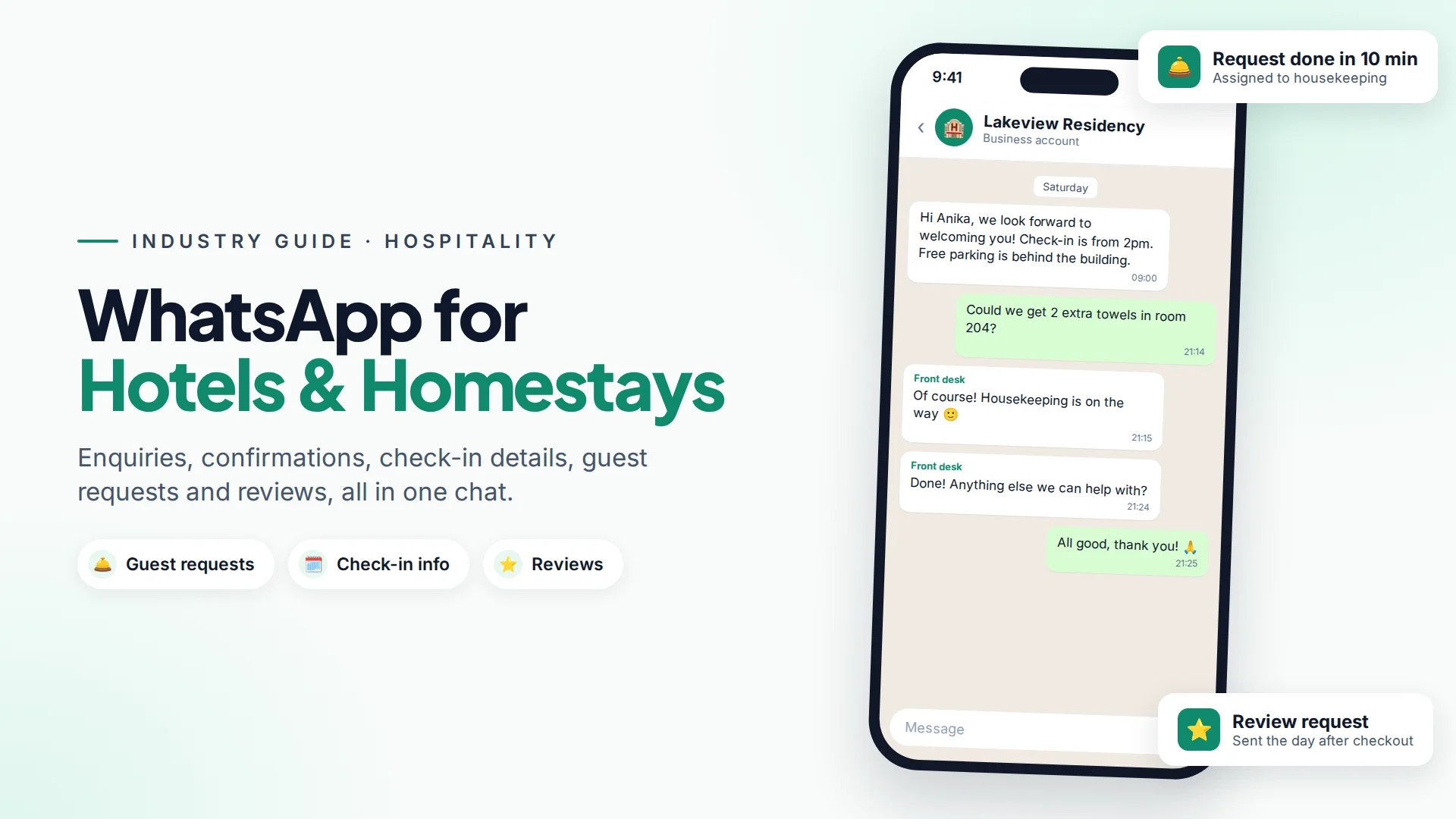
Hi Anika, we look forward to welcoming you on Saturday! Check-in is from 2pm. Here's our location: [map link]. Free parking is behind the building. Reply if you'd like an airport pickup (₹1,200).
This one message prevents most "where are you?" calls on the day, and the pickup line is a small, natural upsell.
4. During the stay: requests and local tips
Once the guest replies, the 24-hour window is open and you can chat freely. Common requests:
- Extra towels, pillows, a kettle
- Room service or restaurant bookings
- Late checkout
- Taxi, tours and local recommendations
- Wi-Fi password (again)
Route each request to the right team: housekeeping, kitchen or front desk. Reply to confirm when it's done. A quick "Done! Anything else?" is what guests remember in their review.
5. After checkout: reviews
Ask for a review within a day of checkout, while the stay is fresh. Link directly to your Google or booking-site review page, and ask everyone the same way. Offering rewards only for positive reviews breaks platform rules. Our guide to getting more Google reviews on WhatsApp covers the policy-safe approach.
6. Returning guests
For guests who opted in to offers, send a short, well-timed message before your next busy season:
Hi Anika, the lake festival is back 8–10 Feb. As a past guest, you get 10% off direct bookings with code BACK10. Reply STOP to opt out.
Only send offers to guests who agreed to them, and not more than once or twice a season. See WhatsApp opt-in.
How to set up WhatsApp for a hotel with Omni
Omni gives a hotel team one shared inbox for WhatsApp, Instagram and Facebook Messenger, so reception, reservations and the manager all see the same conversations (team inbox guide).
- Answer enquiries 24/7 with an AI chatbot that reads your own content: room descriptions, policies, directions and FAQs. Guests who ask for a real person are handed to your team automatically.
- Route requests by assigning conversations to a teammate, and use labels such as
housekeepingorroom-serviceto filter the list. Internal notes let the night shift hand over to the morning shift. - Send confirmations and pre-arrival details automatically. If your booking engine or property management system can send a webhook, point it at an automation with the Webhook received trigger, which then sends your approved template. For "2 days before arrival" timing, have the booking system send the webhook at that time.
- Run seasonal campaigns to opted-in past guests with campaigns, using tags or segments like
repeat-guestorsummer-2026. - Add a WhatsApp button to your website with the "Chat on WhatsApp" widget (how to add one).
Common mistakes hotels make on WhatsApp
- Using a personal phone at reception. Messages get lost when shifts change. Use a shared inbox.
- Sending offers with booking confirmations. Mixing promotion into a utility message can get it recategorised as marketing.
- Slow replies at night. Guests message at all hours. A chatbot or night-shift cover fixes this.
- Asking for card details in chat. Send a secure payment link from your booking engine instead.
- Messaging everyone who ever stayed. Offers need opt-in.
For restaurant-style bookings and reminders, see WhatsApp for restaurants, and for tour operators, WhatsApp for travel agencies.
Sources
Frequently asked questions
Can a hotel send booking confirmations on WhatsApp?
Yes, using an approved utility template, because the hotel is messaging first. Keep it factual, with dates, room type, total and a booking reference.
Do I need a template to reply to guest requests during their stay?
Usually not. When a guest messages you, you can reply freely for 24 hours after their last message. You need a template only to message them first or after that window closes.
Can a chatbot handle hotel enquiries?
Yes, for common questions such as rates policy, check-in times, parking, breakfast and directions, as long as it answers from your own information and passes anything unusual to a person.
Is it safe to take payments over WhatsApp?
Don't ask guests to type card numbers into a chat. Send a secure payment link from your booking engine or payment provider instead.
Can I send offers to past guests on WhatsApp?
Yes, to guests who opted in to receive offers, using an approved marketing template. Include a way to opt out, and keep offers infrequent.
- #whatsapp for hotels
- #hospitality
- #guest communication
- #hotel marketing
- #whatsapp business api
The Omni Team
The Omni team builds the shared inbox, AI chatbots and automation tools businesses use to talk to customers on WhatsApp, Instagram and Messenger.
Put this into practice with Omni
One inbox for WhatsApp, Instagram and Messenger, with AI chatbots, campaigns and automation. Start on the free plan.