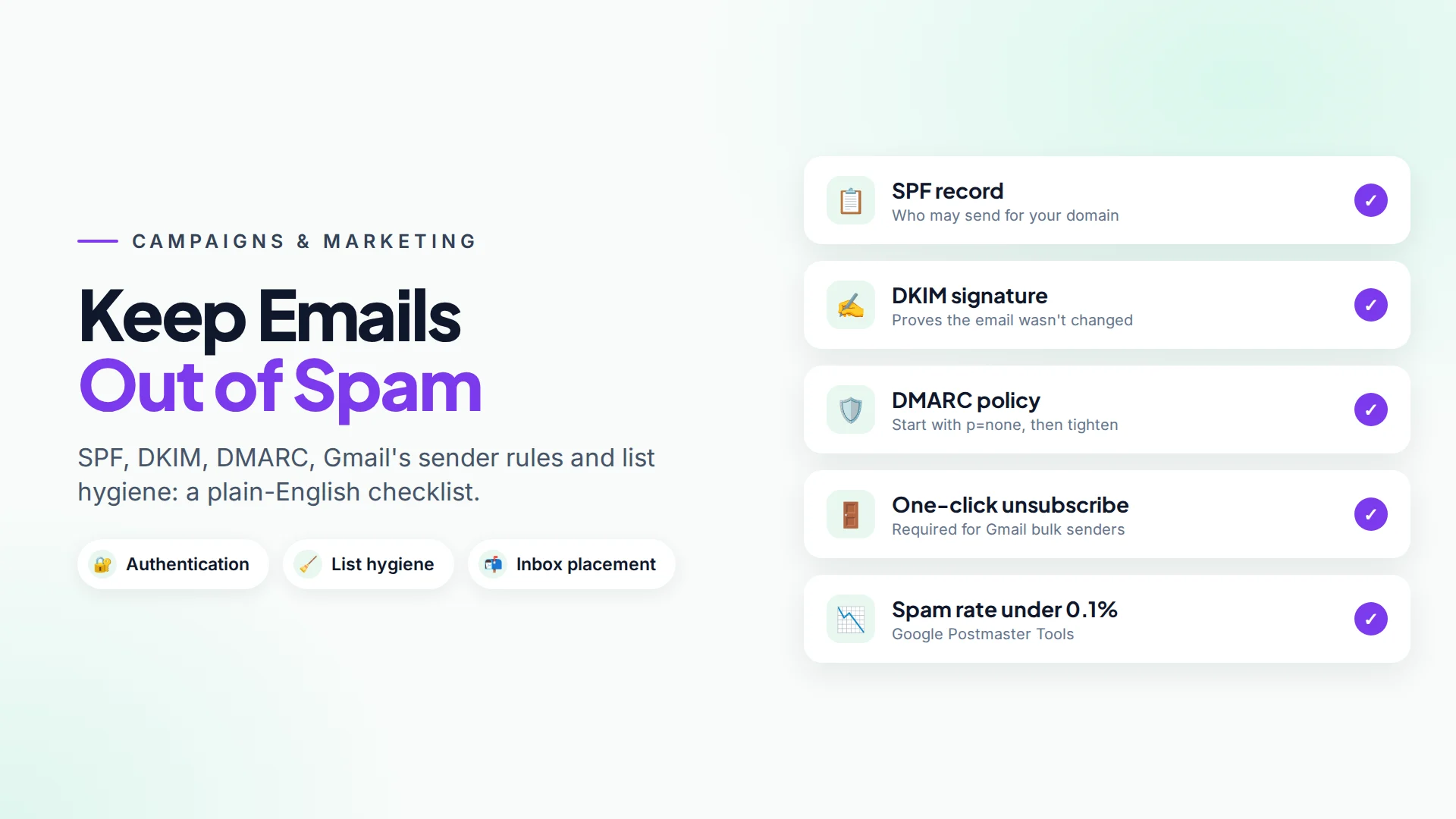
Marketing emails usually go to spam for one of three reasons: your domain isn't authenticated (SPF, DKIM and DMARC), people didn't expect the email, or they can't easily unsubscribe so they hit "report spam" instead. Fix those three and most small businesses see their campaigns land in the inbox again.
This checklist walks through each fix in plain English, including the rules Gmail has enforced since 2024.
Why do marketing emails go to spam?
Inbox providers like Gmail, Outlook and Yahoo decide where your email goes based on two questions: Is this really from who it says? and Do people want it?
| Signal | What the inbox provider checks |
|---|---|
| Authentication | SPF, DKIM and DMARC records on your domain |
| Reputation | Your domain's history of spam complaints and bounces |
| Engagement | Whether people open, reply, or delete without reading |
| Content | Broken HTML, misleading subject lines, suspicious links |
| Unsubscribe | Whether opting out is easy |
Authentication is the fastest fix. Reputation and engagement take a few weeks of good sending to improve.
What are SPF, DKIM and DMARC, in plain words?
They are three DNS records that prove your emails really come from you. You add them once, in the DNS settings where your domain is managed (for example Cloudflare, GoDaddy or your web host).
- SPF lists the servers allowed to send email for your domain. It's like a guest list.
- DKIM adds a digital signature to every email, so the receiver can check it wasn't changed on the way. It's like a wax seal.
- DMARC tells receivers what to do if an email fails SPF and DKIM (nothing, spam folder or reject), and sends you reports. It's the house rule for the guest list and the seal.
Your email sending provider (for example Amazon SES, Postmark, Mailgun, SendGrid or Brevo) shows you the exact records to copy. A safe first DMARC record is v=DMARC1; p=none; rua=mailto:[email protected], which monitors without blocking anything. Tighten it later.
What does Gmail require from senders?
Gmail's email sender guidelines set two levels of rules, in force since February 2024.
Everyone sending to Gmail accounts must:
- Set up SPF or DKIM for the sending domain.
- Have valid forward and reverse DNS for sending servers, and use a TLS connection.
- Keep spam rates, as reported in Google Postmaster Tools, below 0.1%, and never reach 0.3% or higher.
Bulk senders (around 5,000 or more messages a day to Gmail accounts) must also:
- Set up SPF and DKIM, plus a DMARC record (the policy can be
p=none). - Make sure the domain in the From address aligns with the SPF or DKIM domain.
- Support one-click unsubscribe in marketing emails and show a visible unsubscribe link.
Google notes that other large providers, including Yahoo, typically follow similar guidelines. Even if you're a small sender today, set all three up now. It costs nothing and you won't have to scramble later.
How to keep your email list healthy
Authentication proves who you are. List hygiene proves people want your email.
- Only email people who opted in. Never buy or scrape lists. Pre-ticked boxes don't count as consent in the EU and UK.
- Send a welcome email right away after sign-up, while people remember you.
- Remove hard bounces immediately. Addresses that don't exist hurt your reputation.
- Stop emailing people who haven't opened in 6–12 months, or send one "still interested?" email first.
- Honour unsubscribes instantly. A person who can't unsubscribe will report you as spam, which hurts far more.
Should you send from Gmail or Outlook directly?
No, not for campaigns. Personal mailboxes have low daily sending limits, and bulk sending from them can get your account suspended. Use a service built for sending volume, connected to your own domain, and keep your personal mailbox for one-to-one email.
How to warm up a new sending domain
A new domain has no reputation, so inbox providers are cautious. Warm it up over two to four weeks:
- Start with your most engaged contacts: recent customers and people who opened recently.
- Send a few hundred emails a day, then roughly double each week if complaints and bounces stay low.
- Keep content consistent and genuinely useful.
- Watch Google Postmaster Tools for your spam rate.
Subject lines and content that don't trigger filters
Filters look at behaviour far more than individual words, but these habits help:
- Say exactly what's inside. "Your March offer: 20% off facials" beats "You won't BELIEVE this!!!"
- Use your business name as the From name.
- Keep links to your own domain, not free link shorteners.
- Balance images and text. An email that's one big image looks like spam and is hard to read on phones.
- Include your address and a clear unsubscribe link (CAN-SPAM requires a physical postal address in commercial email in the US).
Sending email campaigns from your own domain with Omni
Omni sends email campaigns through your own SMTP server (the sending service you choose), so emails come from your domain and build your own reputation. You enter the host, port, login and From details under Campaigns → Email server, click Test, and save (setup guide).
Features that help with the checklist above:
- One-click unsubscribe built in. Every campaign email includes
List-Unsubscribeand one-click headers, plus an unsubscribe footer if you didn't add your own link. When someone unsubscribes, their email opt-in is switched off automatically. - Opt-in check before sending. Contacts without email opt-in are skipped.
- Optional open and click tracking, per campaign. Treat opens as an estimate, because some email apps load images automatically.
- Test sends and audience preview in the campaign wizard, plus an AI assistant to draft the body or suggest a subject line.
- The same audiences for every channel. The segments and tags you use for WhatsApp and SMS work for email too.
The Free plan includes 500 campaign emails a month, and paid plans raise that (10,000 on Starter, 50,000 on Growth). See pricing.
Quick checklist
- SPF record added
- DKIM record added and verified in your sending service
- DMARC record added (start with
p=none) - Sending from your own domain, not a free mailbox
- Only opted-in contacts, bounces removed
- One-click unsubscribe and visible unsubscribe link
- Postal address in the footer
- Test email checked on a phone
Sources
Frequently asked questions
Do I need DMARC if I only send a few hundred emails a month?
Gmail strictly requires DMARC only for bulk senders, but setting up a monitoring DMARC record (p=none) is free and helps every sender. It also protects your domain from being spoofed.
Why do my emails go to the Promotions tab instead of the inbox?
Promotions is still the inbox, not spam. Gmail sorts marketing-style emails there automatically. Emails that look more personal and get replies are more likely to appear in Primary, but you can't force it.
How often should a small business send marketing emails?
Often enough that people remember you, rarely enough that they don't feel spammed. For most small businesses that's two to four emails a month. Watch unsubscribes and complaints and adjust.
What spam complaint rate is too high?
Gmail asks senders to keep the spam rate in Google Postmaster Tools below 0.1% and never reach 0.3%. That means fewer than one complaint per 1,000 emails.
Can I send email campaigns from Omni without my own email server?
You need an SMTP sending service, but not your own hardware. Services like Amazon SES, Postmark, Mailgun, SendGrid or Brevo give you SMTP details you can paste into Omni.
- #email marketing
- #email deliverability
- #spf dkim dmarc
- #gmail sender requirements
- #email campaigns
The Omni Team
The Omni team builds the shared inbox, AI chatbots and automation tools businesses use to talk to customers on WhatsApp, Instagram and Messenger.
Put this into practice with Omni
One inbox for WhatsApp, Instagram and Messenger, with AI chatbots, campaigns and automation. Start on the free plan.