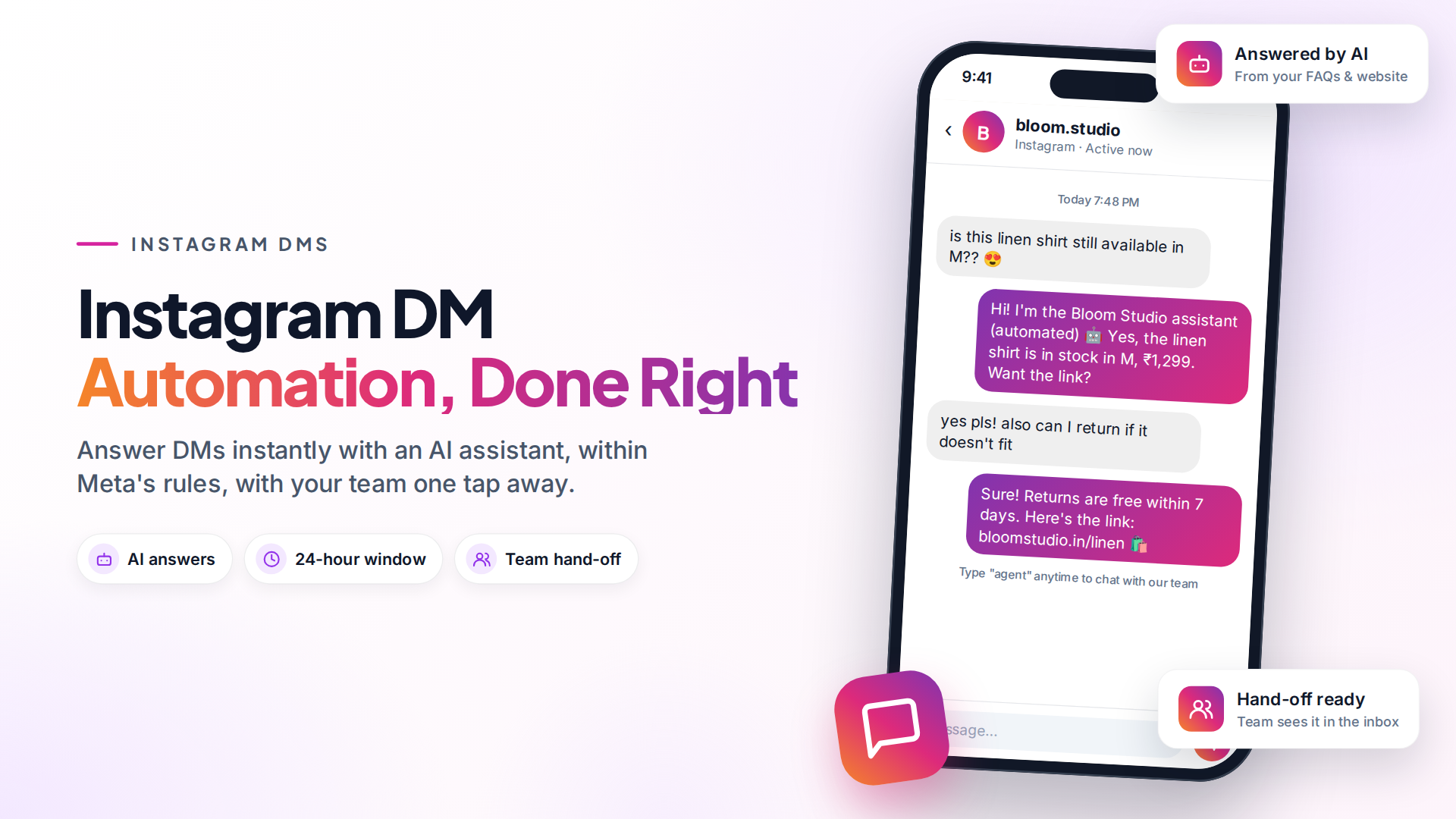
Instagram DM automation means using software to reply to your Instagram direct messages automatically, for example answering prices, sizes or opening hours in seconds, day or night. It's allowed when you use Meta's official Instagram messaging API with a professional account, and it's how busy brands keep up with DMs without hiring more people.
There are two firm rules. You can only reply within 24 hours of the customer's last message, and a bot must say it's automated. Get those right and automation is safe and useful.
What can you automate in Instagram DMs?
The most useful automations answer questions people ask again and again:
- Price and availability: "How much is this?", "Do you have it in M?"
- Store info: opening hours, address, delivery areas, shipping times.
- Order questions: "Where is my order?", when your store is connected to your messaging tool.
- Booking and enquiries: collecting a name, date and requirement, then passing it to your team.
- After-hours replies: a helpful answer at midnight instead of silence until morning.
- Routing: sending complaints, custom orders and big enquiries to the right person.
What you can't do on Instagram is message people first. A person must DM you before you can reply (Meta messaging policy). Someone who only liked or commented on a post hasn't opened a conversation.
Is Instagram DM automation allowed?
Yes, through Meta's official API. Meta's Instagram Messaging API is built for businesses to automate conversations, and many approved tools use it. What's not allowed are bots that log in with your password and imitate a person. Those break Instagram's terms and can get accounts restricted.
Use a tool that connects through Facebook login and Meta's permission screen, not one that asks for your Instagram password.
Meta's rules for Instagram DM automation
These come from Meta's Messenger Platform and Instagram Messaging API policy:
| Rule | What it means for you |
|---|---|
| 24-hour window | You can reply for up to 24 hours after the customer's last message. The window only reopens when they write again. |
| Bot disclosure | Automated chats must say the person is talking to an automated service: at the start, after a long gap, and when a chat moves from a human to a bot. |
| Human Agent tag | A person (not a bot) can reply up to 7 days after the customer's last message, for support that takes longer to resolve. |
| No unsolicited messages | You can't use tags or tricks to send promotions outside the window. |
Two practical results:
- Put the disclosure in your greeting. For example: "Hi! I'm the [brand] assistant, an automated helper. Ask me anything, or type 'agent' to reach our team."
- Reply fast. If a DM sits unanswered for more than a day, Meta will reject the reply. Our guide to Instagram's 24-hour window covers the error messages and exceptions.
Keyword replies vs AI chatbots on Instagram
There are two main ways to automate DM replies.
| Keyword replies | AI chatbot | |
|---|---|---|
| How it works | Sends a set answer when a message contains a word | Understands the question and answers from your content |
| Best for | A short list of predictable questions | Many different questions, phrased in many ways |
| Weak spot | Misses questions phrased differently | Needs good source content and a clear hand-off rule |
| Setup effort | Low | Medium: add your FAQs, site or product info |
On Instagram, people rarely type neat keywords. They send "is this still there??" with a screenshot. That's why an AI chatbot that answers from your own FAQs and website usually works better for DMs. Just make sure it hands over to a person when it isn't sure.
How to set up Instagram DM automation
- Switch to a professional account. In the Instagram app, go to Settings → Account type and tools and choose Business or Creator.
- Link it to a Facebook Page you manage, if your tool connects through Facebook login (most do, including Omni).
- Connect a tool that uses Meta's official API, and approve the permissions it asks for.
- Add your knowledge. Give the chatbot your FAQs, shipping and returns policy, price list and website pages.
- Write the bot's instructions. Include the disclosure line, the tone to use, and when to hand over ("if the customer is upset, asks for a person, or asks about a custom order").
- Test it from a friend's account with your 10 most common questions.
- Watch the first week and fill the gaps in its knowledge.
In Omni, you connect Instagram under Messenger & Instagram and assign an AI chatbot to the account. It then replies to new DMs using your knowledge base, and hands the conversation to your team when it can't help or the customer asks for a person.
Instagram DMs land in the same team inbox as WhatsApp and Messenger. When the 24-hour window has closed, Omni shows a banner and locks the reply box instead of letting you send a message Meta would reject.
One honest limit: Omni automates DM conversations. It doesn't send automatic DMs to people who comment a keyword on your posts. If comment-to-DM campaigns are your main goal, a tool built for that may suit you better.
How to keep automation from hurting your brand
- Answer, don't stall. A bot that says "An agent will reply soon" to everything is worse than no bot.
- Keep replies short. DMs are read on phones. Two or three sentences, then a question or a link.
- Make "talk to a person" easy. Mention it in the greeting and honour it straight away.
- Don't guess prices or stock. If the bot doesn't know, it should say so and pass the chat on.
- Review conversations weekly. The questions the bot fails on show you what to add.
Should you also use WhatsApp?
Often, yes. Instagram is great for discovery, but you can't message people first, and the 24-hour window is strict. WhatsApp lets you send approved templates for order updates or reminders after the window closes, with the customer's opt-in.
Many brands answer the first question on Instagram, then offer to continue on WhatsApp for order updates. See WhatsApp automation use cases for ideas.
Sources
Frequently asked questions
Can I automate Instagram DMs on a personal account?
No. Meta's messaging API only works with Instagram professional accounts (Business or Creator). You can switch account type for free in the Instagram app settings. Tools that connect through Facebook also need the account linked to a Facebook Page.
Will automating DMs get my Instagram account banned?
Automation through Meta's official API is allowed. Accounts get into trouble with tools that log in with your password and act like a person, or with spammy behaviour such as unsolicited messages.
Can I send a DM to someone who hasn't messaged me?
No. On Instagram, a person has to message your business first. You can then reply within 24 hours of their last message.
What happens after the 24-hour window closes?
Regular replies are rejected by Meta. A real person can reply for up to 7 days using Meta's Human Agent tag, where your tool supports it. Otherwise, wait for the customer to write again.
Do I have to tell customers they are talking to a bot?
Yes. Meta's policy requires automated chats to disclose that they are automated at the start of a conversation, after a long gap, and when a chat moves from a human to a bot.
- #instagram dm automation
- #chatbots
- #auto reply
- #meta policy
The Omni Team
The Omni team builds the shared inbox, AI chatbots and automation tools businesses use to talk to customers on WhatsApp, Instagram and Messenger.
Put this into practice with Omni
One inbox for WhatsApp, Instagram and Messenger, with AI chatbots, campaigns and automation. Start on the free plan.